
App features in detail
This page walks through every major feature of the Averyn app — screen by screen — so you can see exactly what's available. The app is included with every Navigation Plan; use it as much or as little as you want.
Family Dashboard
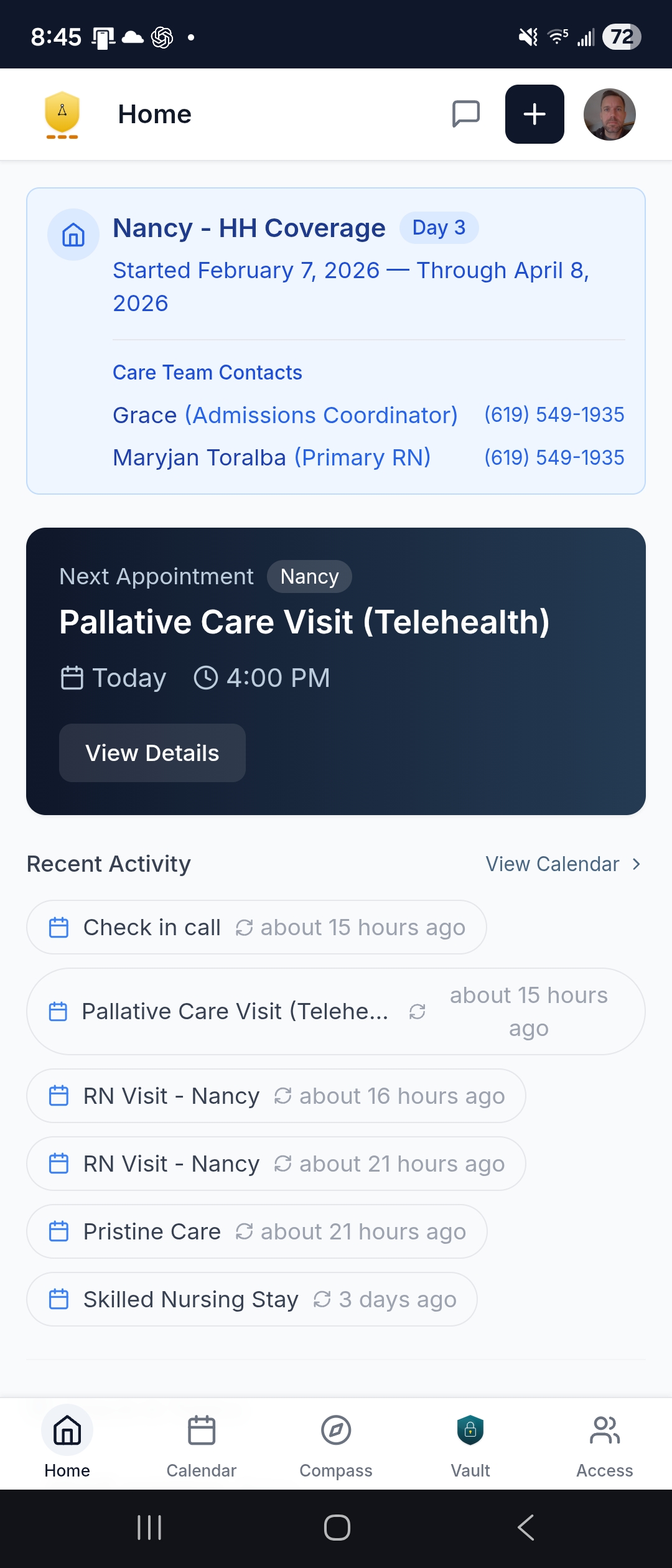
The calm starting point. When you open the app, you see what matters right now — not a wall of data, but the five or six things you actually need to know.
- Next Appointment card — the upcoming event with patient name, time, and location
- Active Stays — if a loved one is in a facility, you see where they are, how long, and coverage status
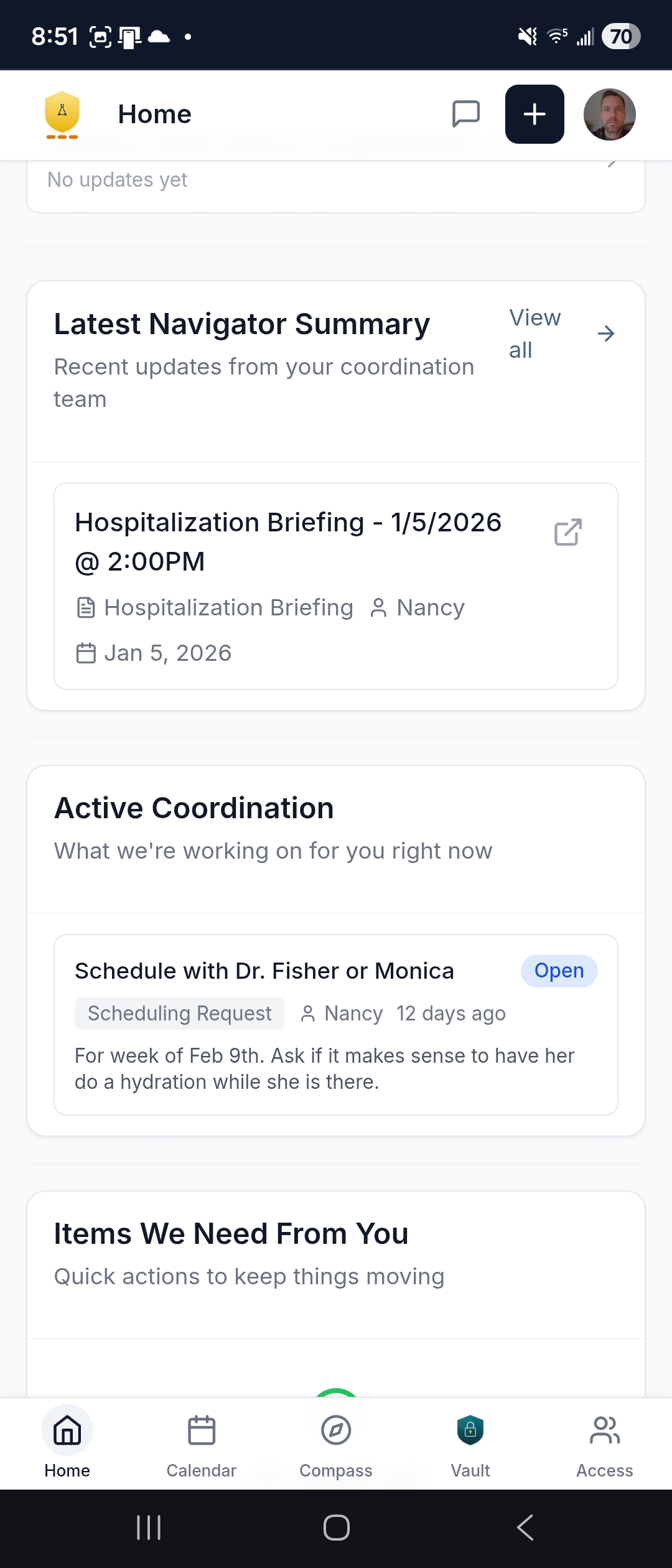
- Latest Navigator Summary — the most recent written briefing, downloadable as a PDF you can forward to a sibling in 30 seconds
- Active Coordination panel — open tickets your Navigator is working on, with status visible so you can see what's been handled and what's pending
- Action Items — tasks assigned to you specifically, like signing a form or confirming a time
- Recent Activity Feed — a timeline of events, task completions, and updates
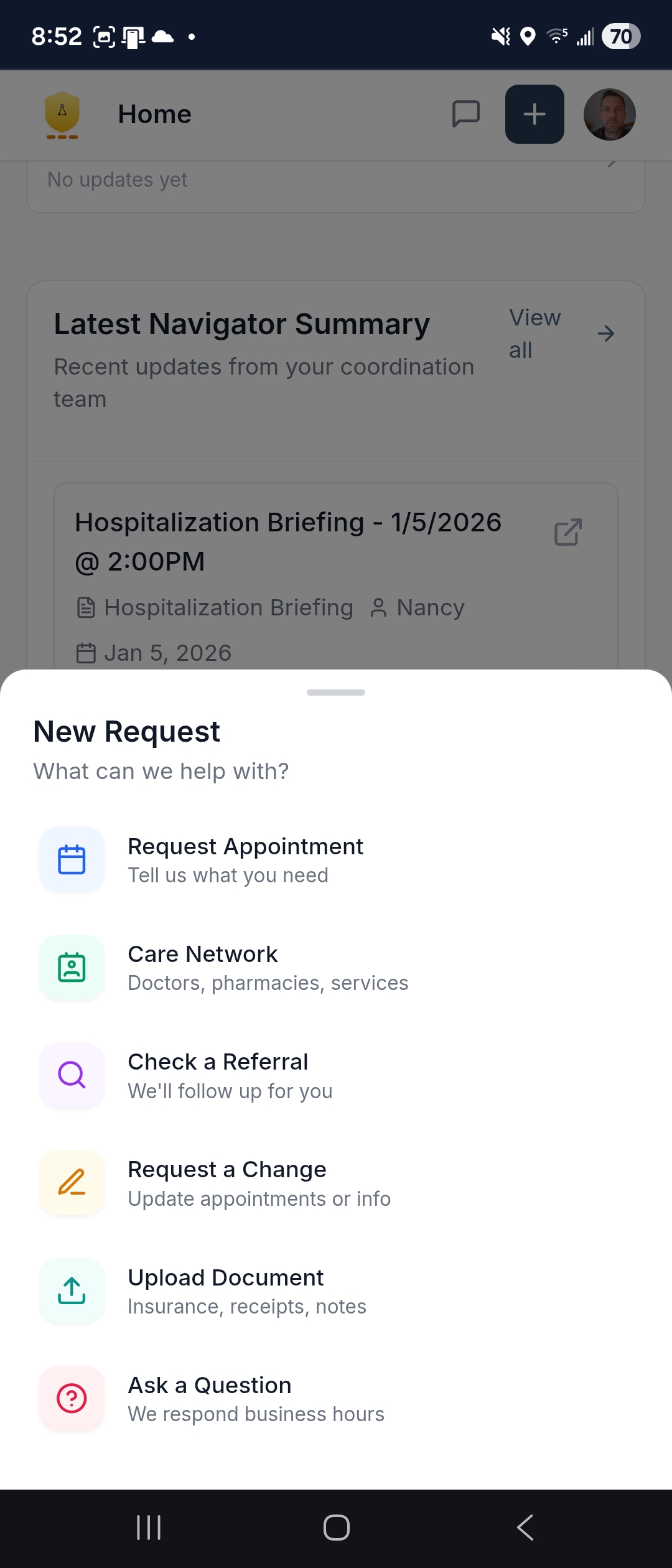
- Quick Actions — request an appointment, check a referral, upload a document, or ask a question in one or two taps
Care Calendar
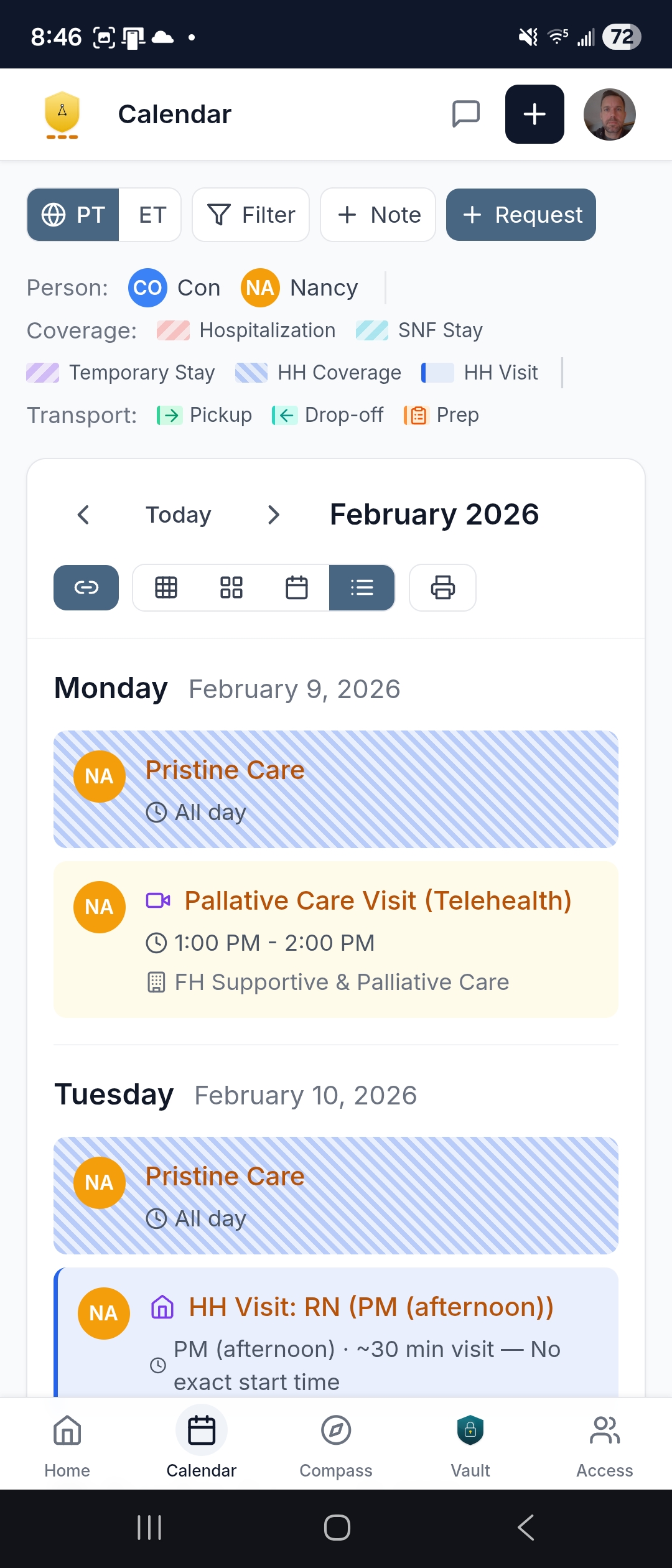
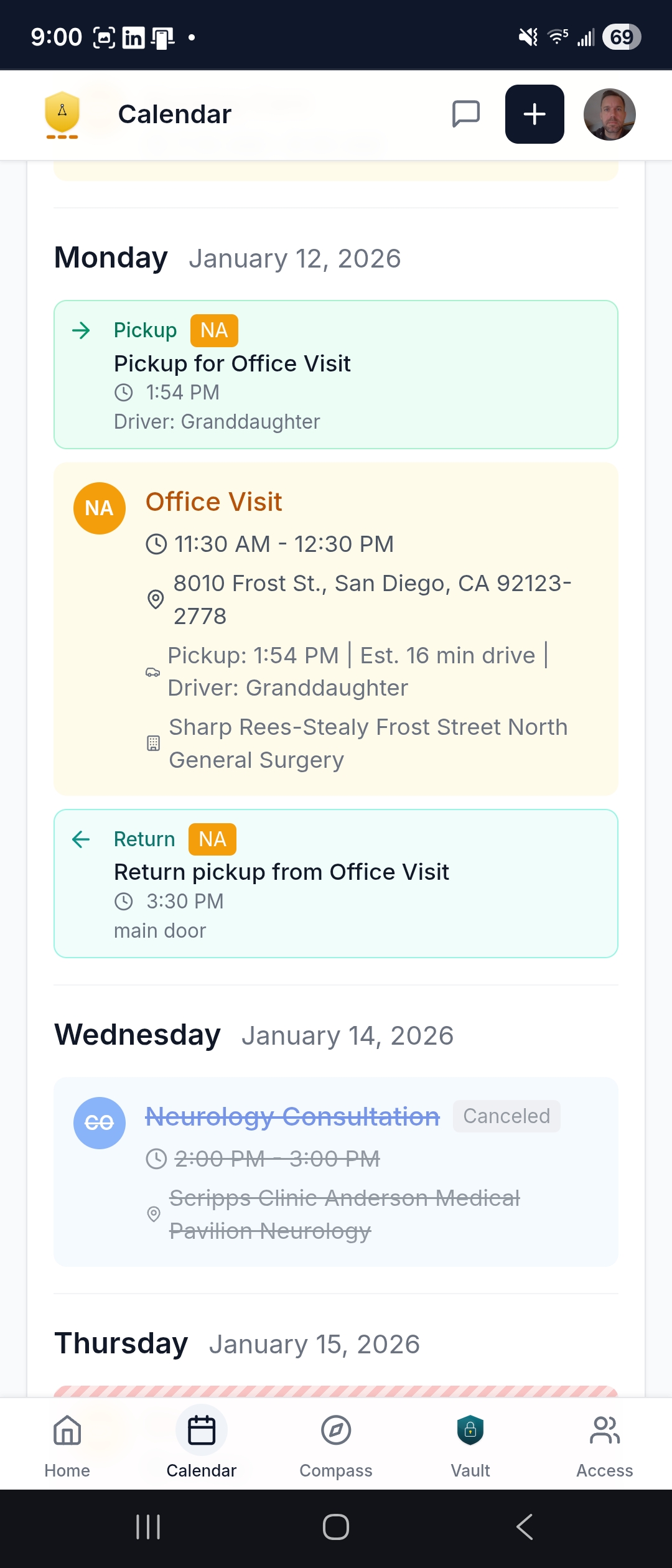
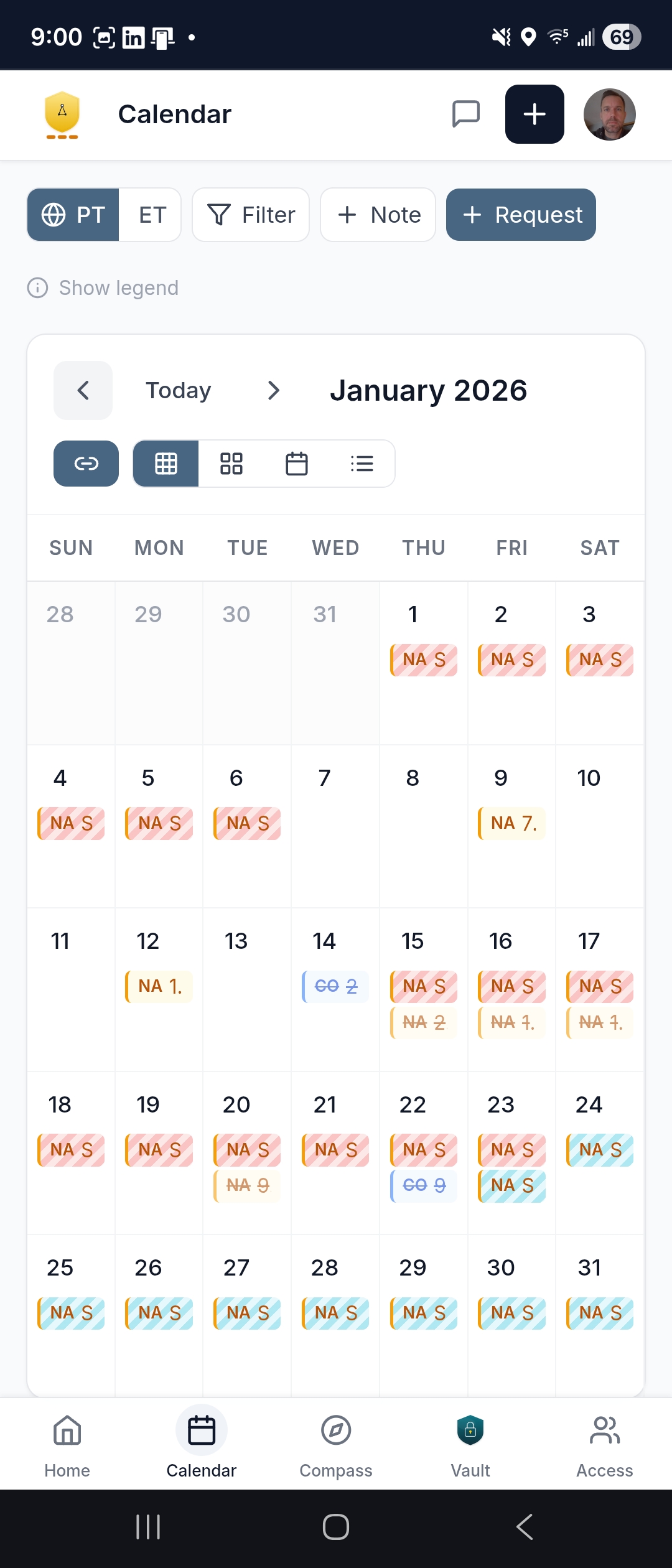
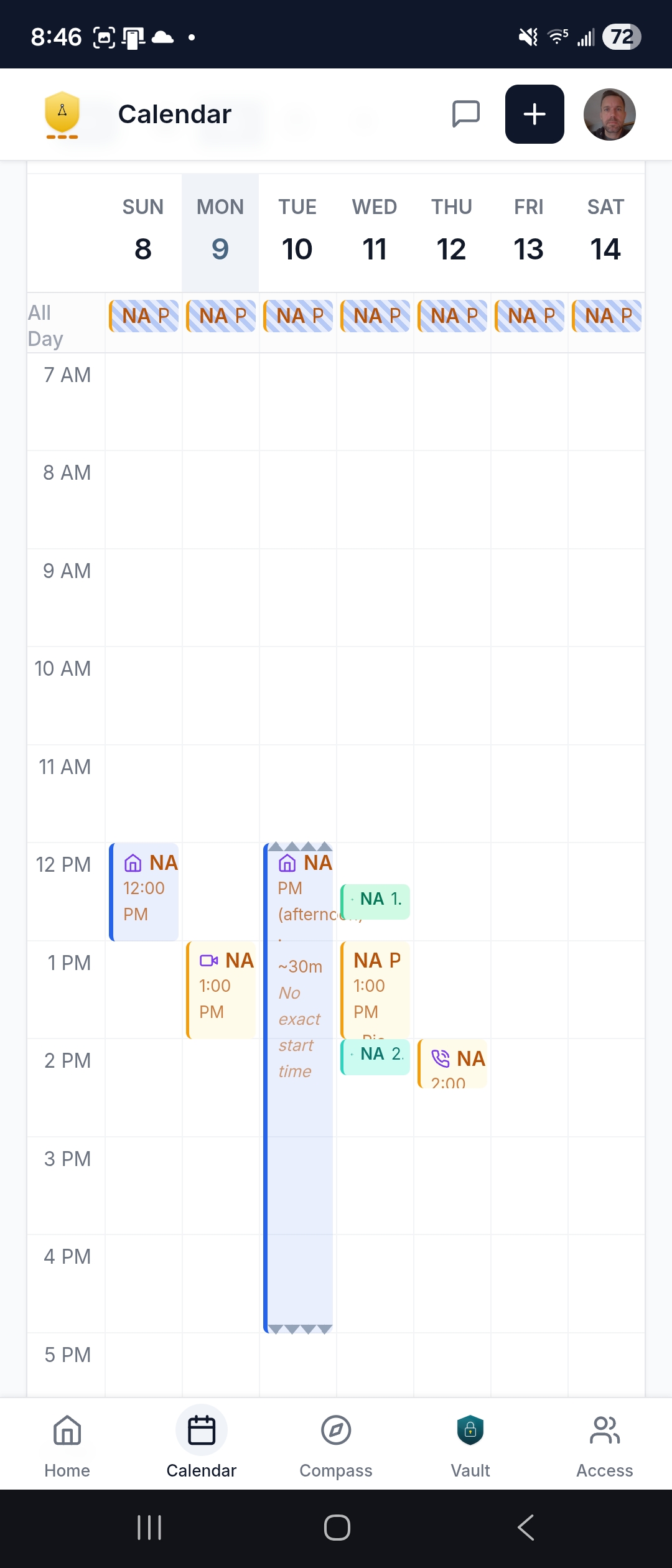
The logistical backbone. Everything in one place — doctor appointments, therapy, home health visits, transportation, and household services — unified across every provider and every supported person in the household.
- Color-coded by patient — tell at a glance whose appointment is whose when coordinating for multiple people
- Four views: Month, Week, Day, Agenda — the agenda view is printable, great for posting on the fridge or bringing to an appointment
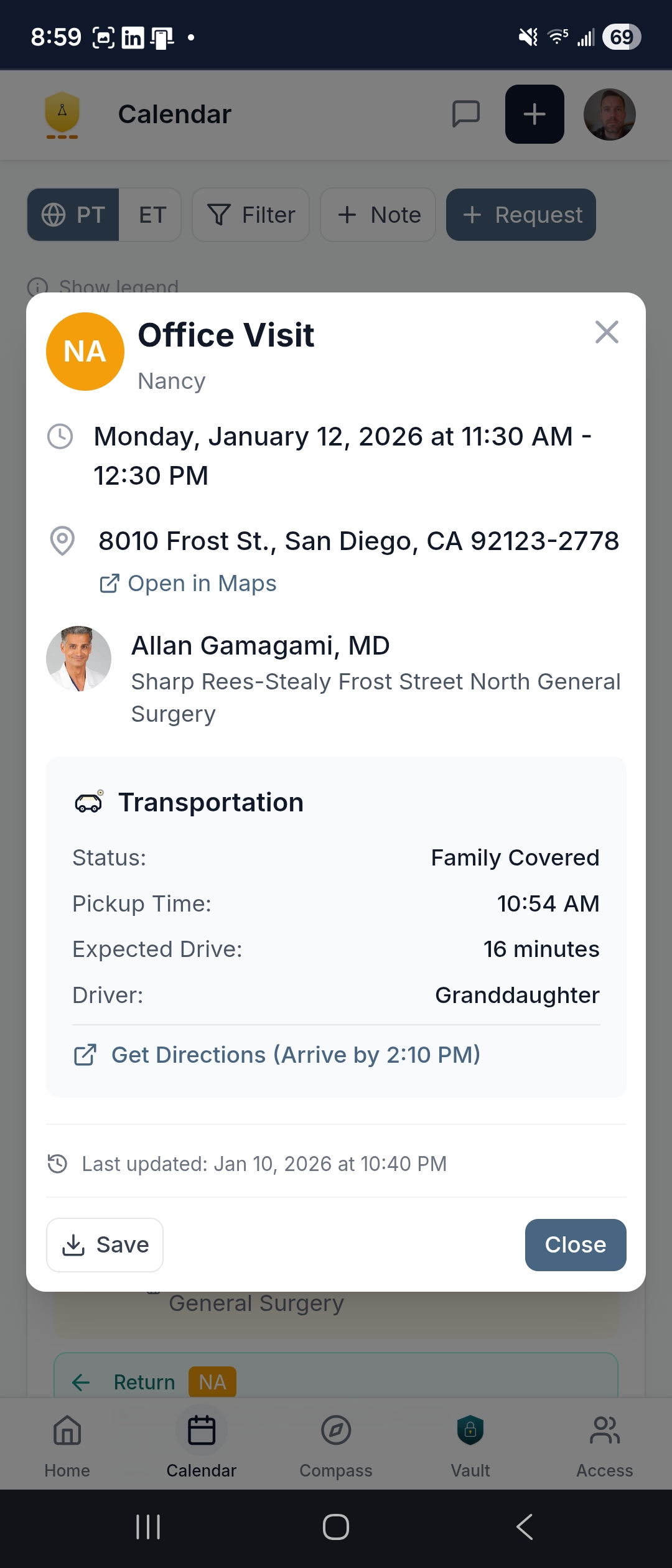
- Transportation built in — every appointment can include pickup time, driver assignment, directions, and return logistics; reminders go to the person driving, not just the patient
- Preparation reminders — fasting instructions before a lab draw, what to bring, what to wear; the kind of details that get lost in a voicemail
- Timezone support — if you're in Chicago and your mother is in Phoenix, everyone sees the calendar in their own timezone, or toggle to the loved one's local time
- Stay visualization — hospitalizations, rehab stays, and home health shown as spans with the cascade of follow-up appointments that flow from a discharge
- iCal subscription — export to Google Calendar, Apple Calendar, or Outlook; see care alongside your work meetings and kids' soccer games
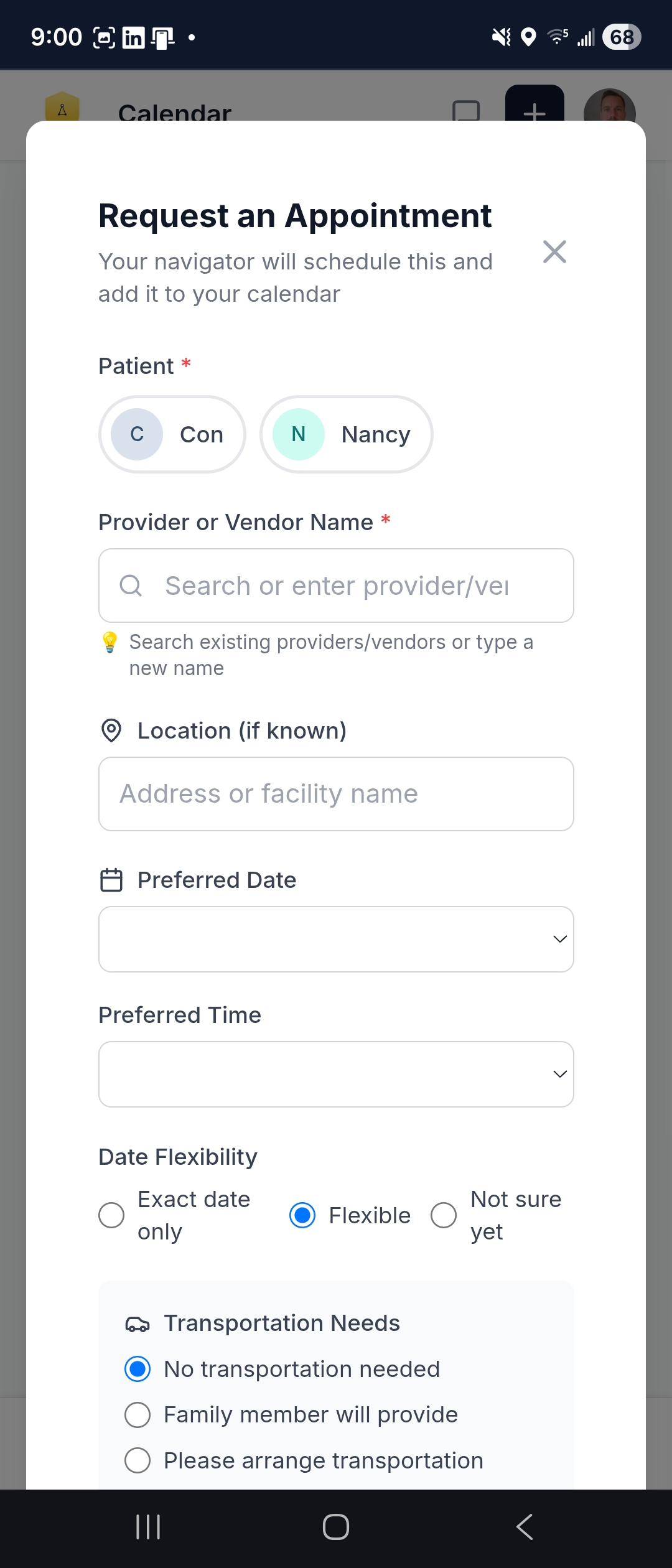
- Request changes — need to reschedule? Tap the appointment and submit a request; your Navigator can coordinate the back-and-forth with the provider's office at your direction
Messaging
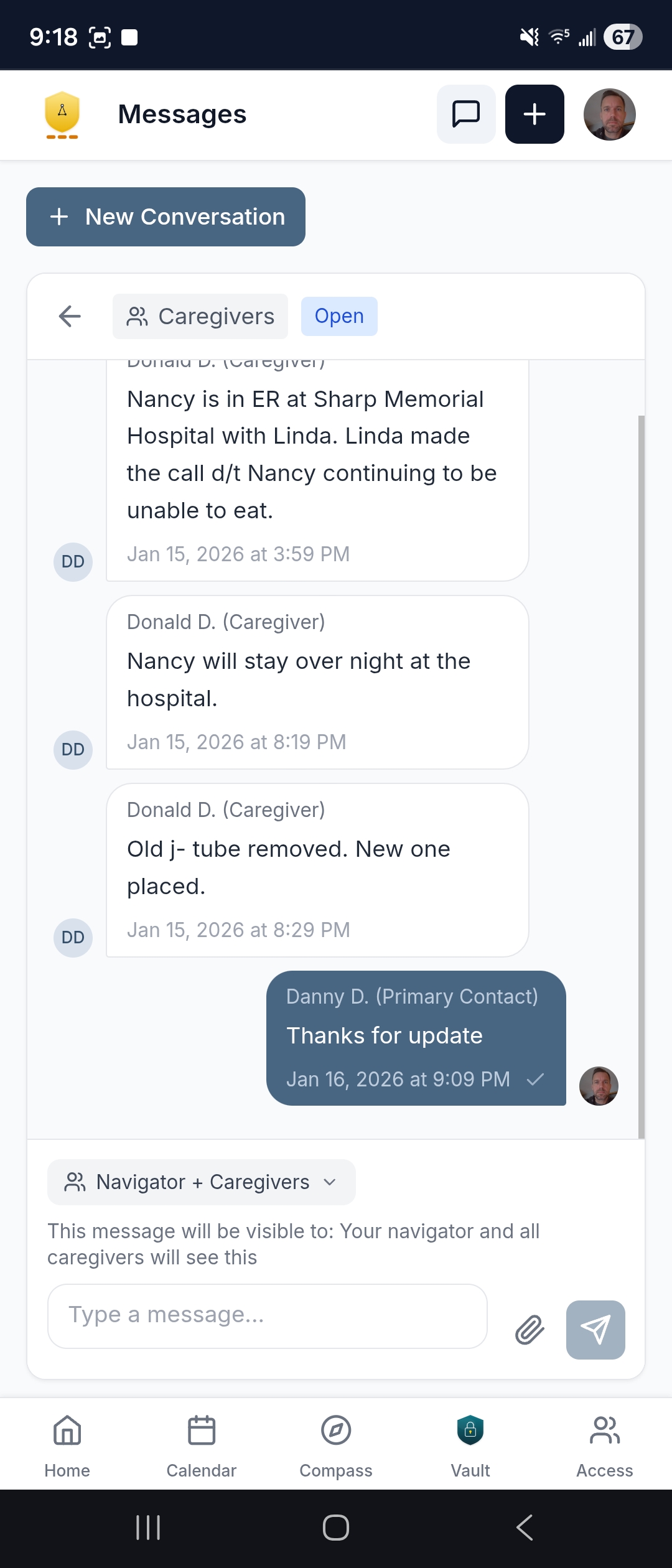
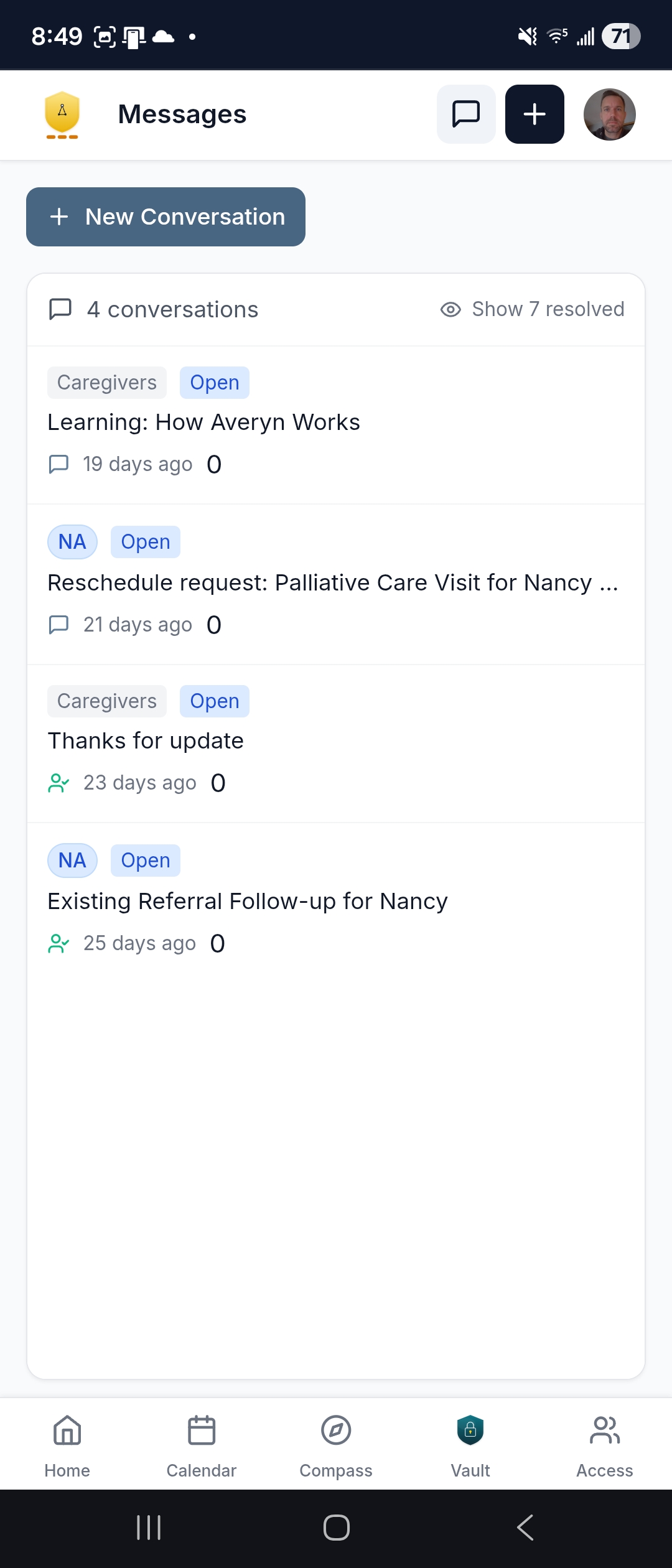
One conversation thread instead of a dozen phone calls. Structured, threaded messaging between your family and your Navigator — tagged to the right person and the right topic. Everyone in the household follows the same thread.
- Patient-tagged threads — every conversation is tied to the right person and topic so context is always clear
- The whole family follows along — when your Navigator updates "the referral went through," your sister sees it too; no one has to relay information
- Resolved vs. active — resolved threads tuck away to reduce noise; unresolved ones stay visible until they're handled
- Attachments — share files, photos, and documents within threads; nothing gets buried in a text chain
Notifications that work for your family — not against it
If you've ever received ten MyChart notifications in a day — each one requiring four clicks and a PDF download to figure out whether it matters — you know the problem. Healthcare is loud, and most of the noise lands on whoever signed up for the portal.
With Averyn, your Navigator reads the portal notifications for you (with your authorization) and distills them into clear next steps. But the app also gives your family a notification system built around how each person actually wants to stay informed.
Choose your cadence
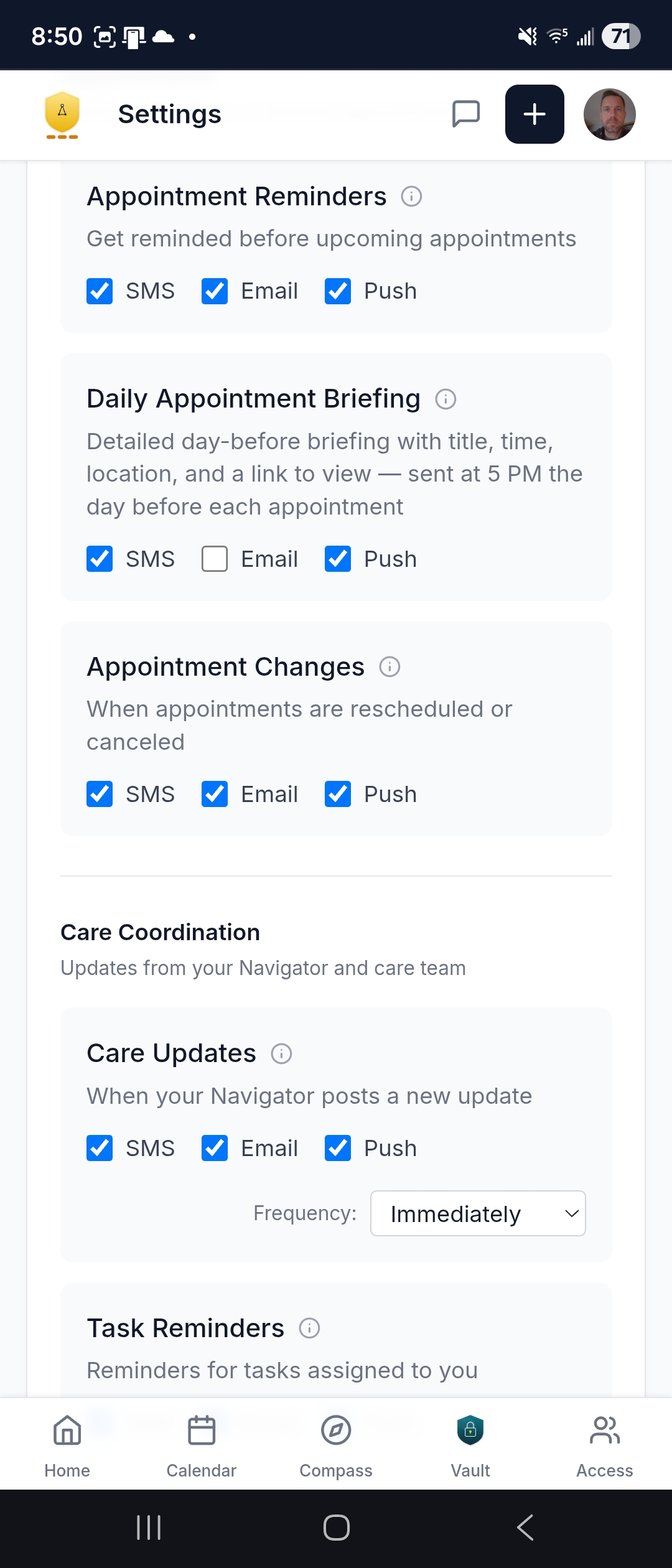
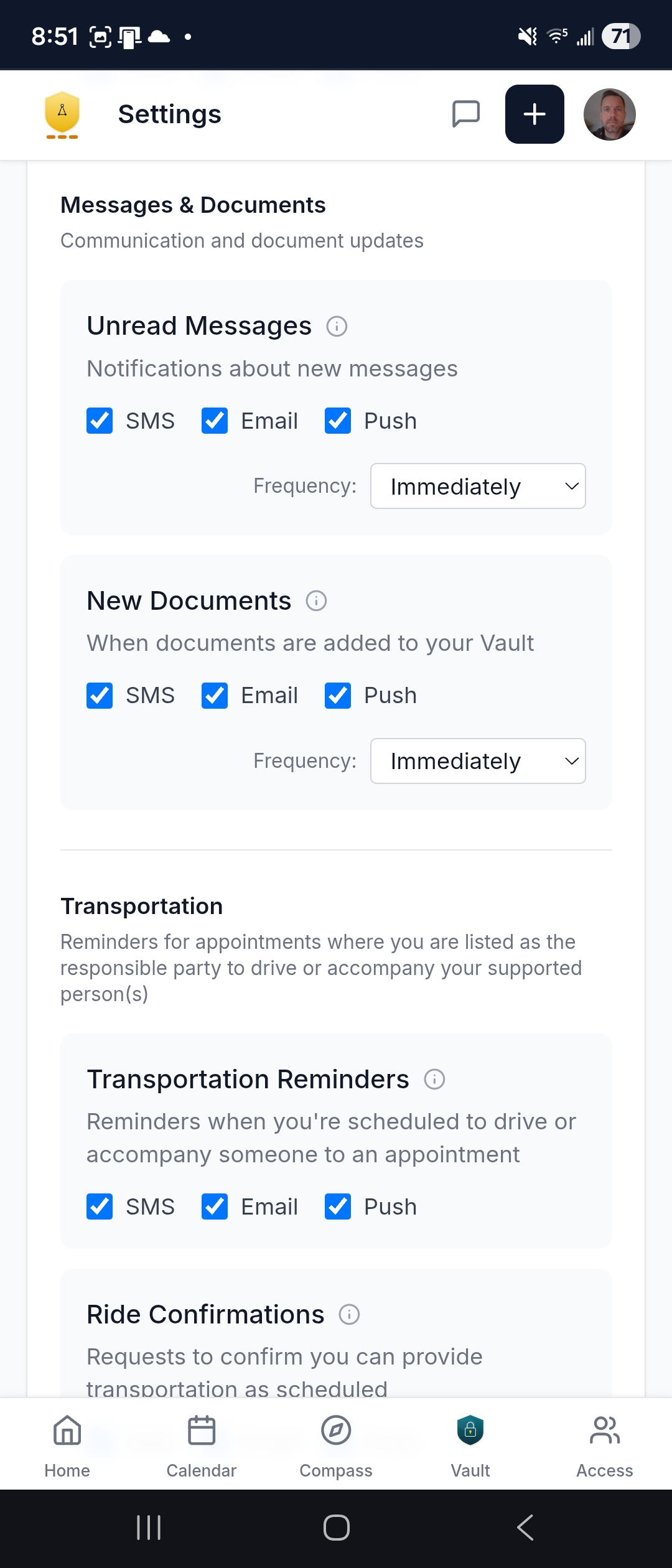
Every notification type can be set to one of four speeds — so the Primary Contact can get appointment changes immediately, while a sibling following along can receive a single weekly digest on Saturday morning:
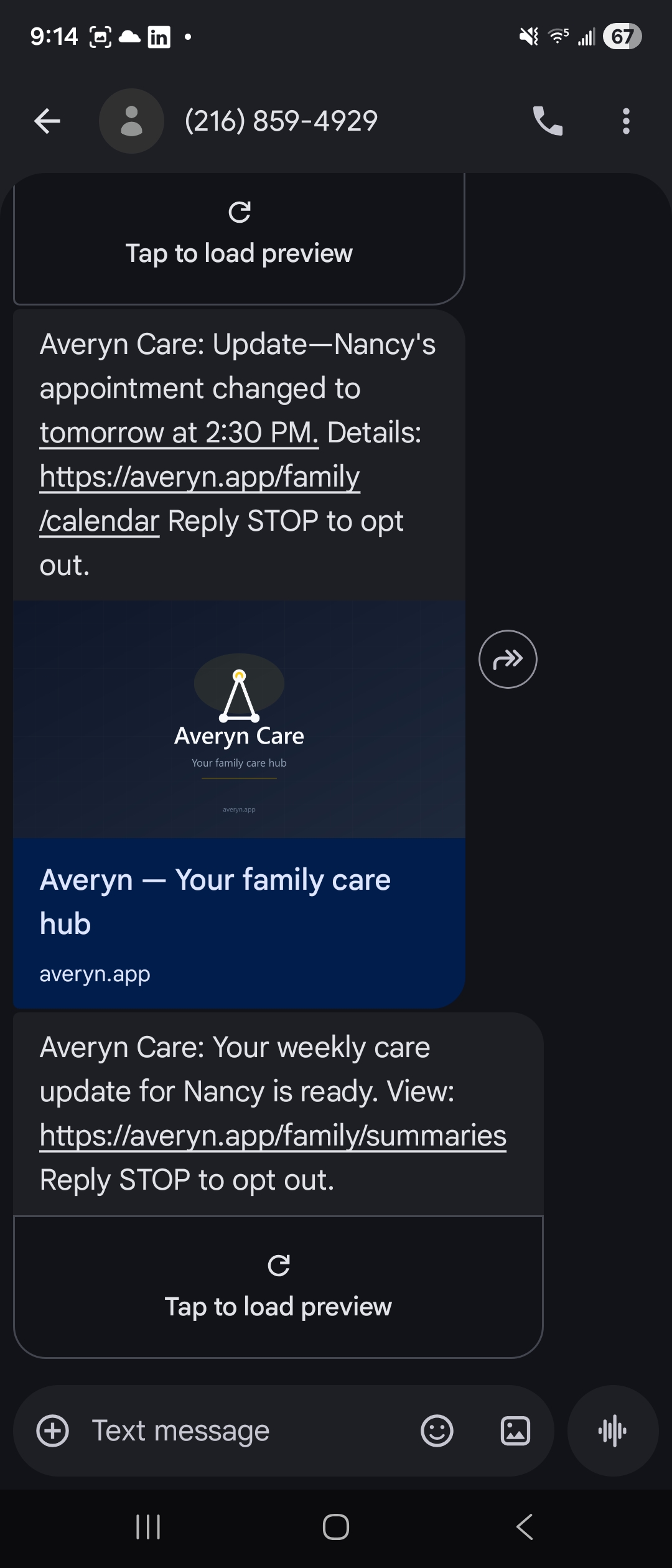
- Immediate — sent as it happens; best for urgent items like schedule changes or decisions your Navigator needs from you
- Twice daily — batched into morning and evening digests
- Daily digest — one summary each morning
- Weekly digest — a single Saturday rollup; ideal for the sibling or helper who wants the big picture without the day-to-day
Three channels, independently controlled
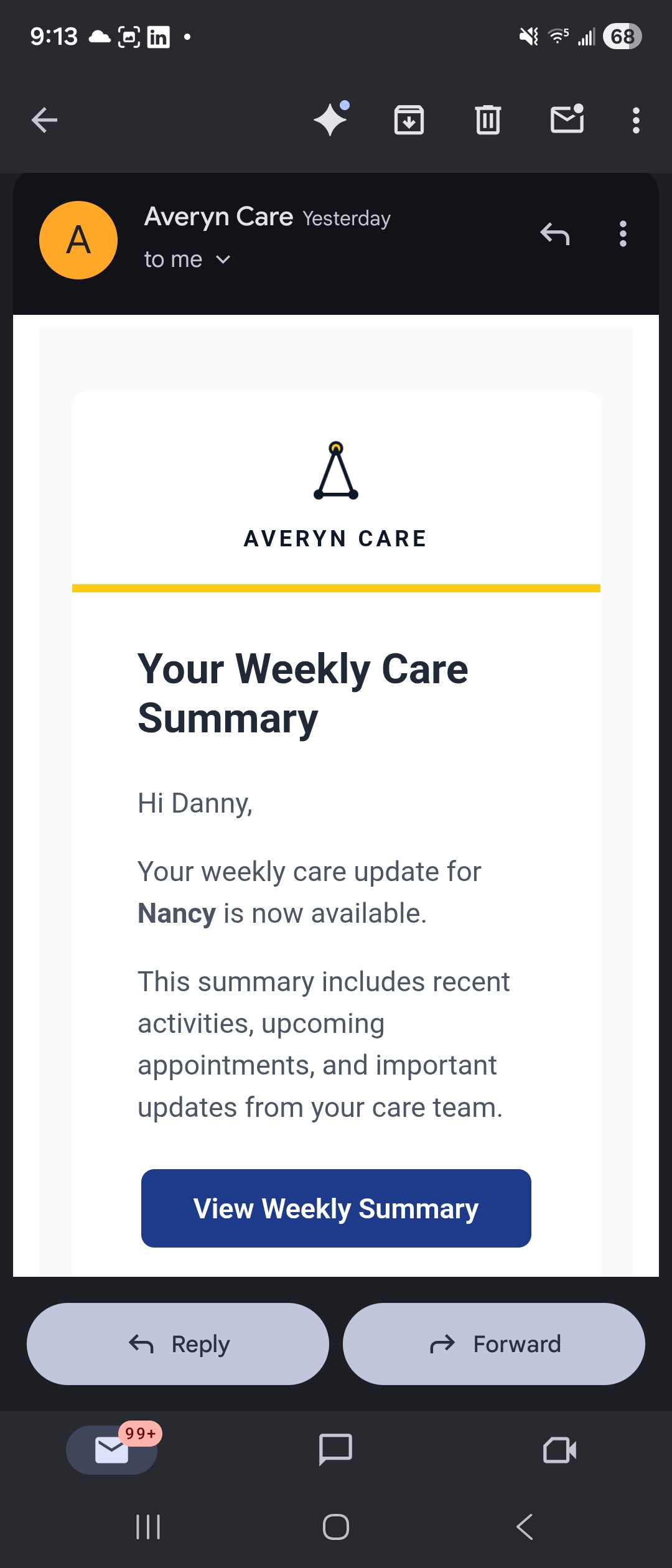
SMS, email, and push notifications — each toggleable per notification type. Get appointment reminders by text, care summaries by email, and task reminders via push. Or turn everything off except the weekly digest. It's your call.
What you're notified about
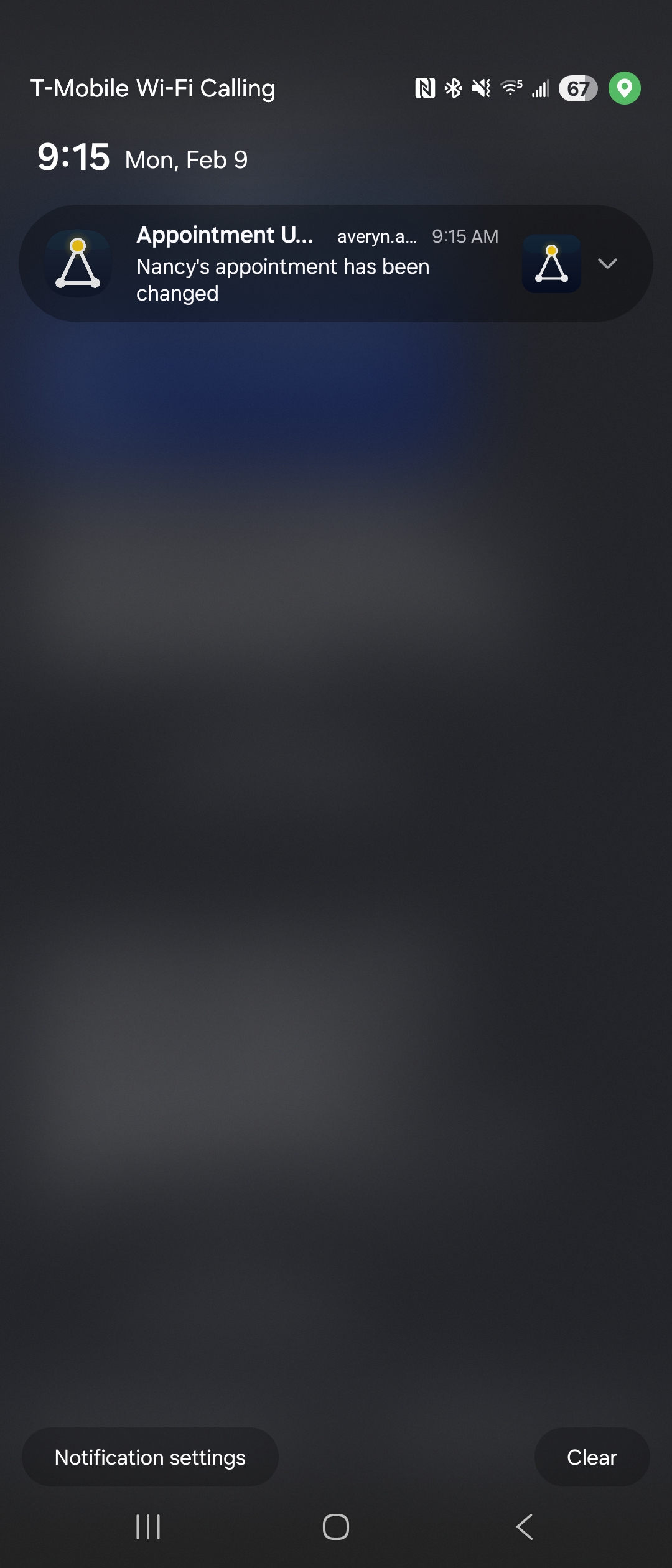
- Appointments — reminders (24 hours and 2 hours before), a daily appointment briefing the evening before, and alerts when times change or events are canceled
- Care coordination — new care summaries from your Navigator, task reminders, decisions that need your input, new task assignments, and the weekly activity summary
- Messages & documents — unread messages (debounced so rapid exchanges don't flood you) and new documents added to your Vault
- Transportation — reminders for upcoming rides, and SMS-based ride confirmations: if you're tagged to drive, you get a text you can reply YES or NO to; if you can no longer drive, your Navigator picks up the ball to arrange an alternative
Quiet hours and multi-person households
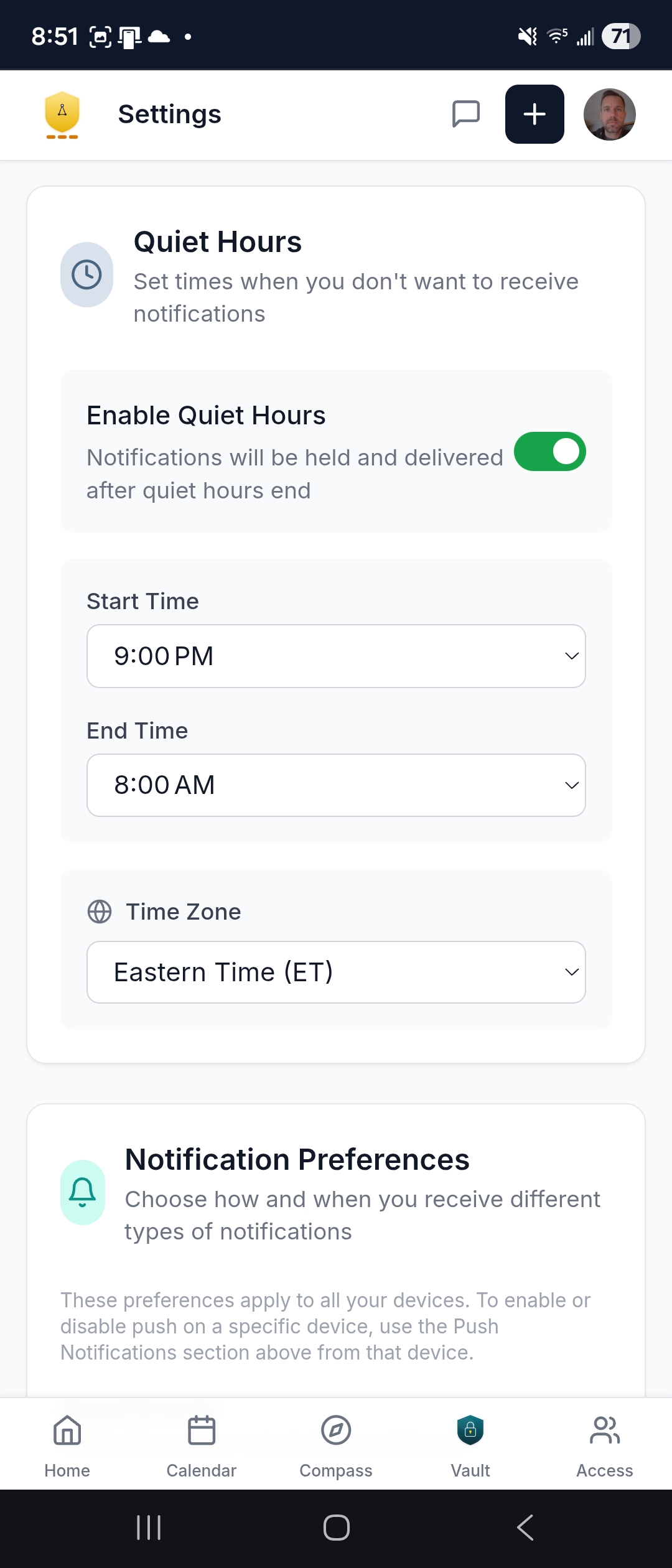
- Quiet hours — set a window and notifications hold until it ends; timezone-aware so it respects your schedule, not your loved one's
- Multi-person coverage — when the household includes multiple supported persons (both your parents, for example), notifications span everyone; one app, one set of preferences, the full picture
- Targeted delivery — not everything goes to everyone; if your aunt is tagged to drive Mom to an appointment, she gets the transportation reminder; the rest of the family doesn't need that noise
- Calendar subscription — subscribe from Google Calendar, Apple Calendar, or Outlook and get native reminders through your own phone's calendar app, with built-in alerts before it's time to leave
Record Vault & Care Summaries
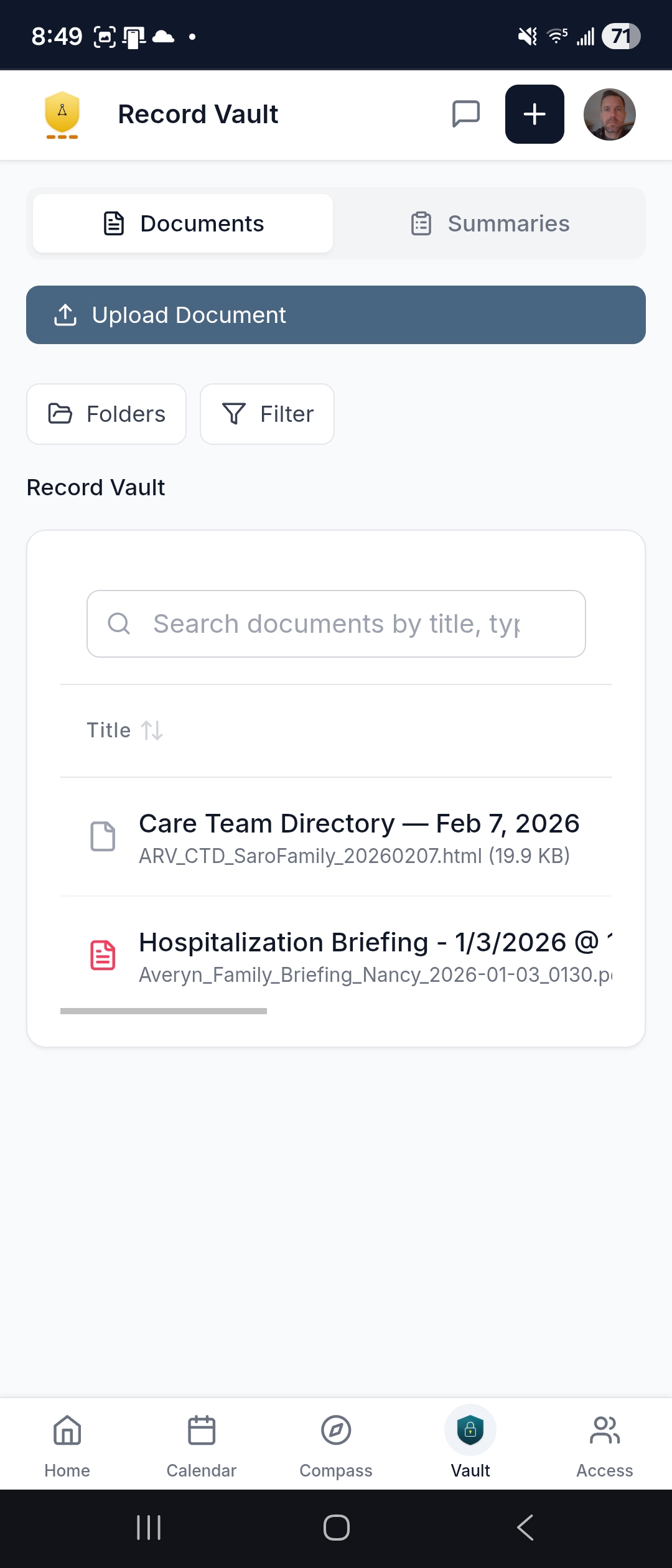
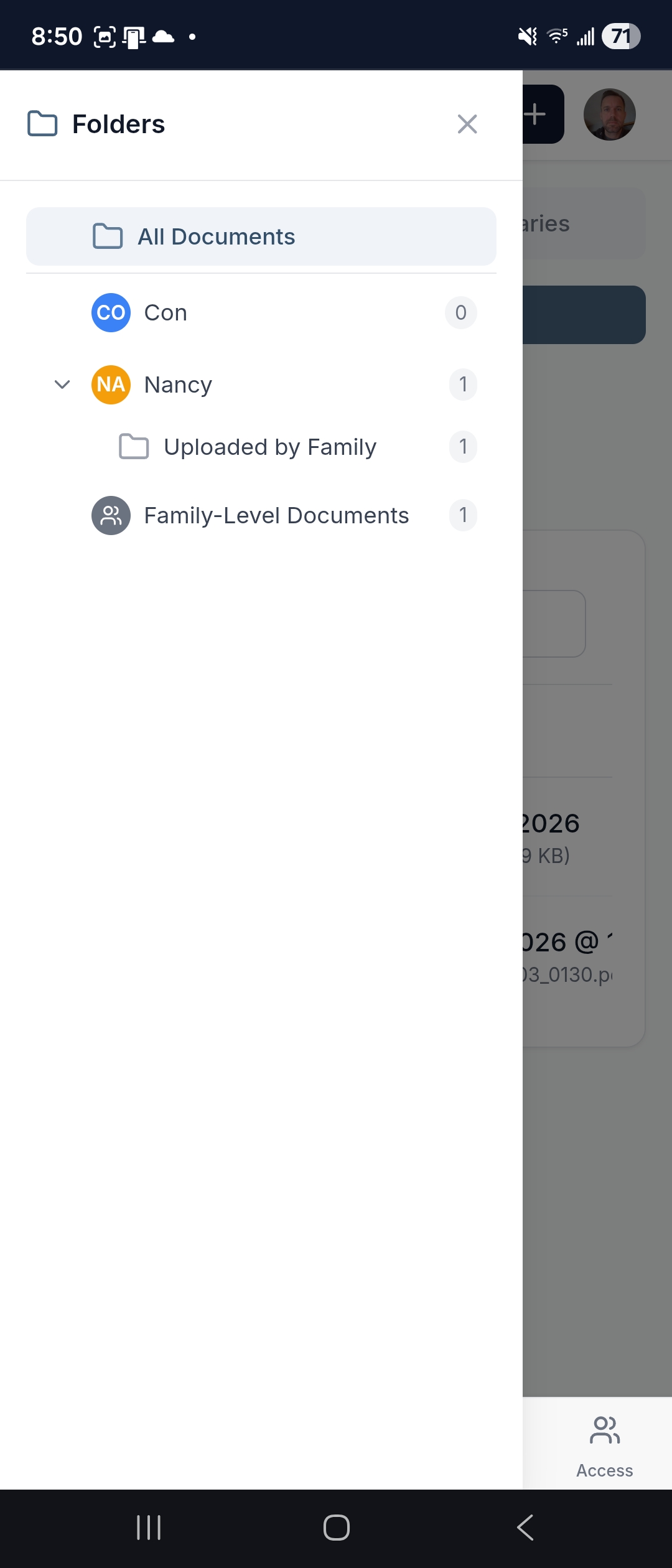
Every important document — insurance cards, advance directives, medication lists, discharge summaries, imaging reports — organized by person and document type. Searchable. Previewable right on your phone.
- Folder tree by patient — documents organized into intuitive categories; browse or search
- Upload from your phone — snap a photo of a document or attach a file directly
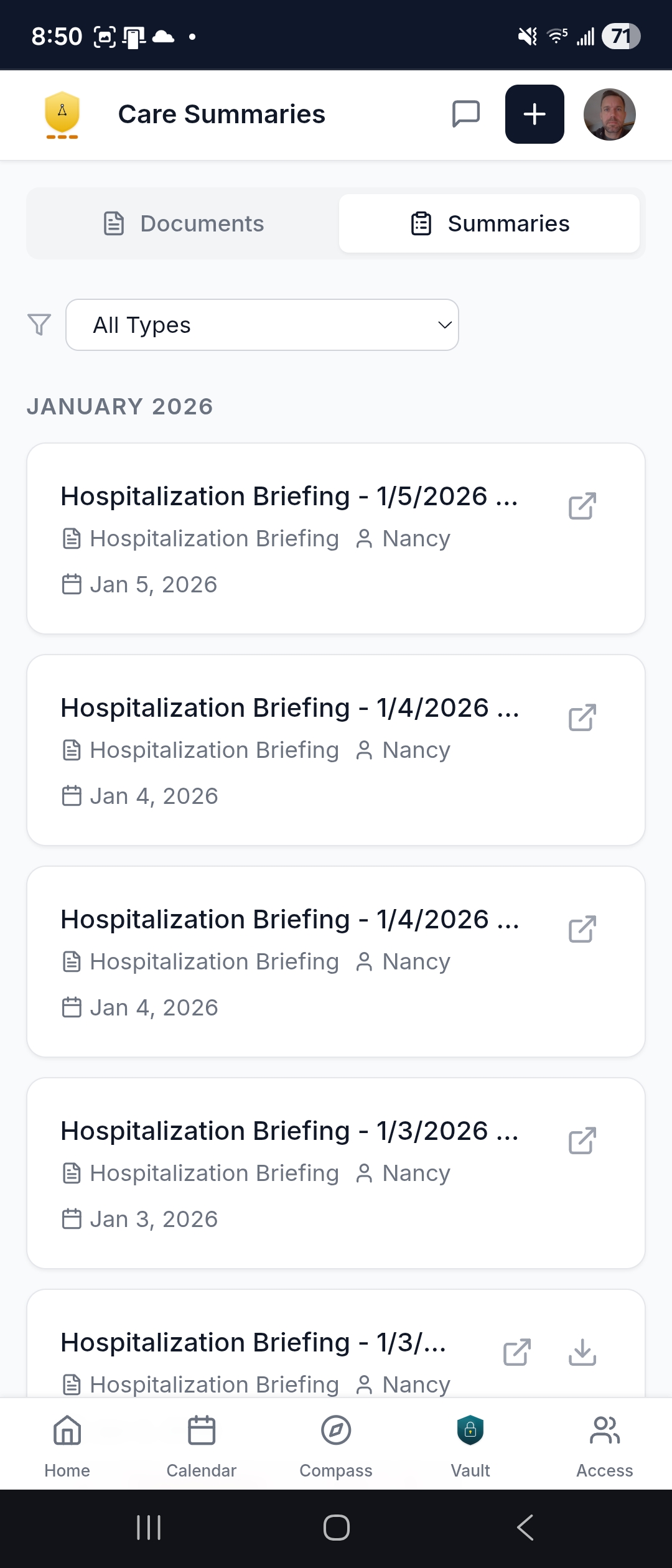
- Care Summaries tab — written briefings from your Navigator after key appointments and events, downloadable as PDFs; forward them to the family group chat or print for the fridge
- Cross-provider picture — not just one provider's records; the Vault holds documentation across every provider, every facility, every transition
- Flag for correction — see something that needs updating? Flag it and your Navigator can follow up
Every household starts with the Averyn Record Vault — the organized foundation. See real examples of summaries and deliverables.
Medications
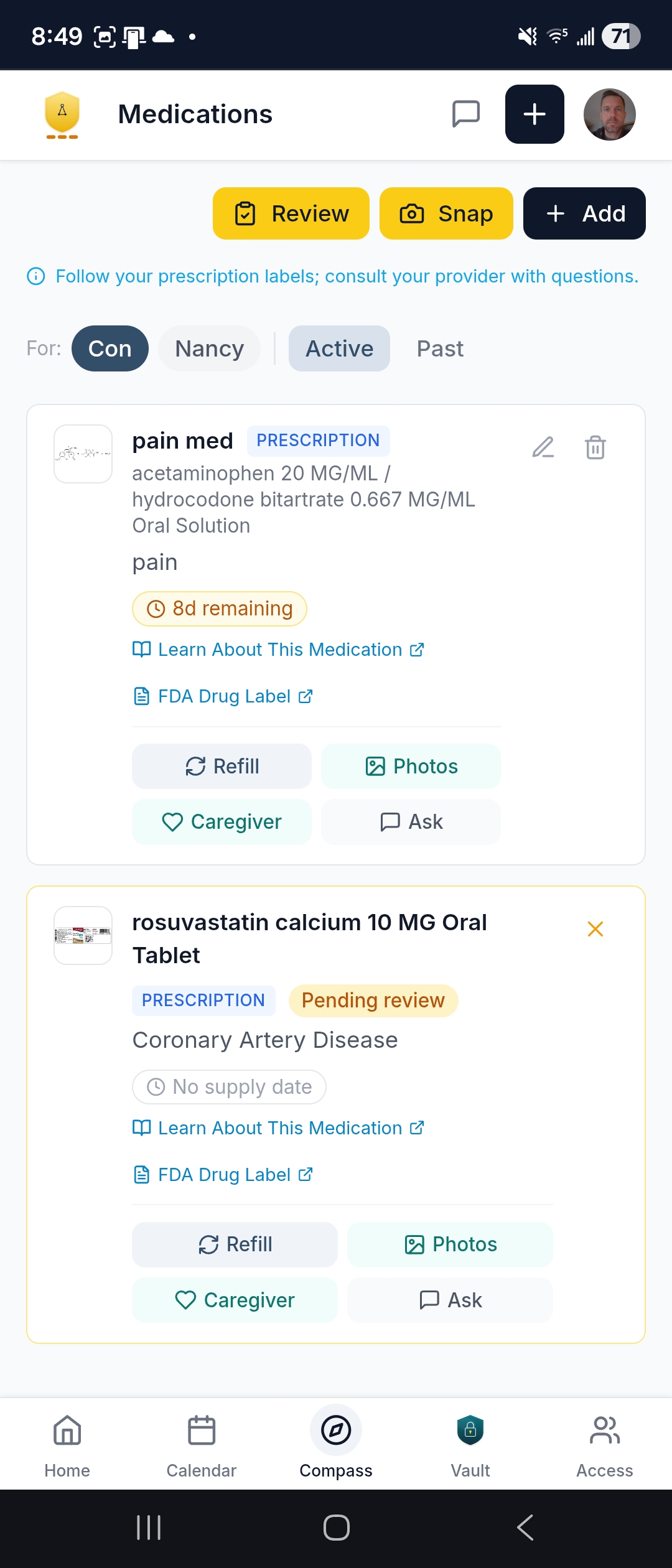
The actual medication list — current, complete, and useful. Every medication for every supported person: prescriptions, over-the-counter, and supplements.
- Supply countdown — each medication shows how many days of supply are left so you and your Navigator can see what's running low before it runs out
- One-tap refill request — creates a message to your Navigator, who can coordinate with the pharmacy at your direction
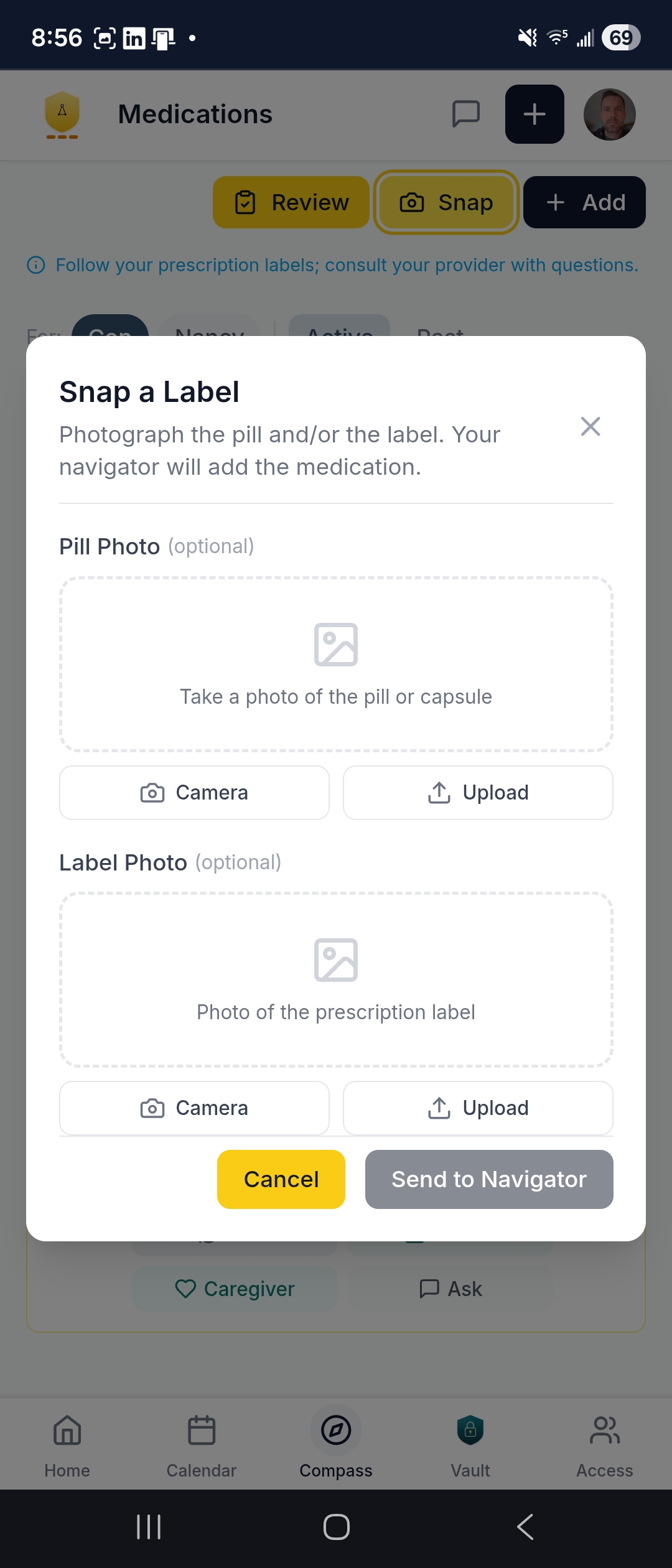
- Snap a label — photograph a pill bottle label with your phone camera to add or verify a medication
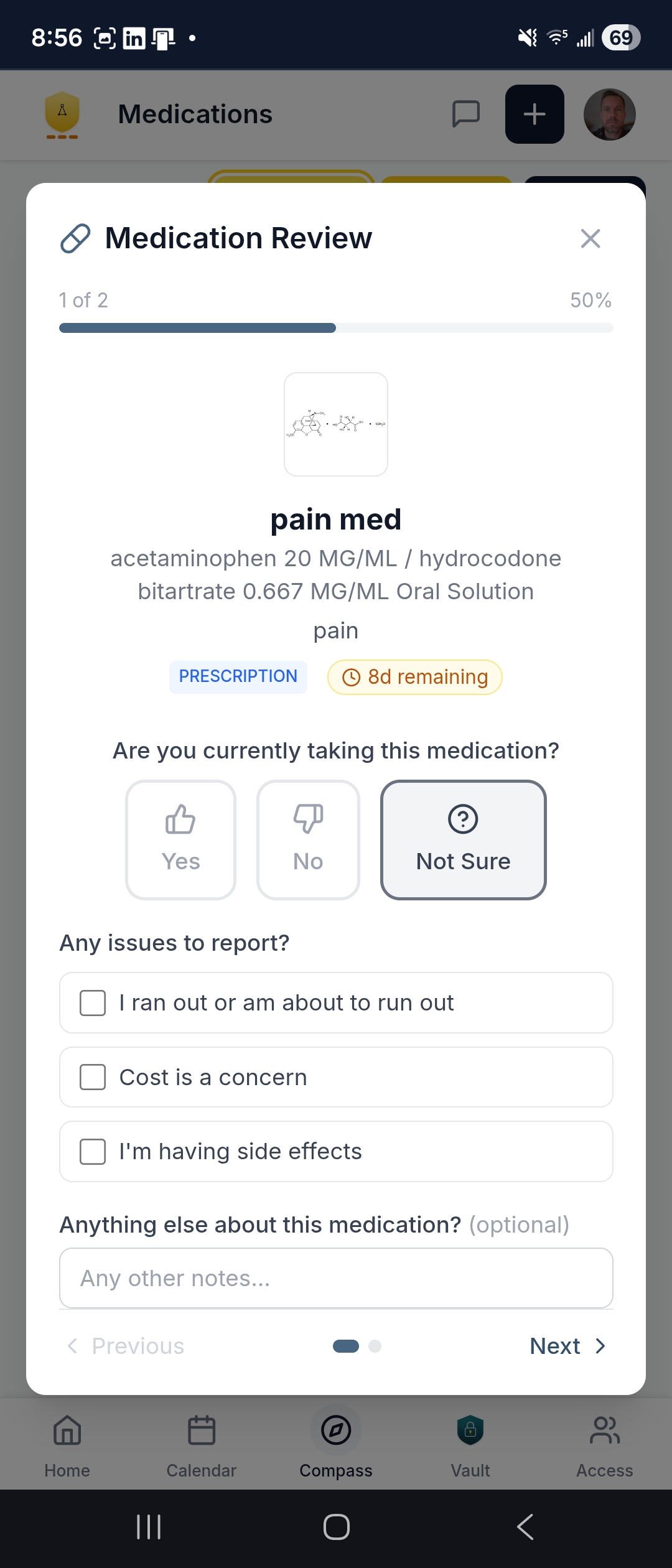
- Medication review wizard — a guided walkthrough to confirm the full list is current; flag issues for your Navigator to relay to the prescriber
- Caregiver instructions — when to give it, what to watch for, with links to drug information from MedlinePlus and FDA labels
- Active and past history — see what's current and review what's been discontinued
Check-Ins & Focus Areas
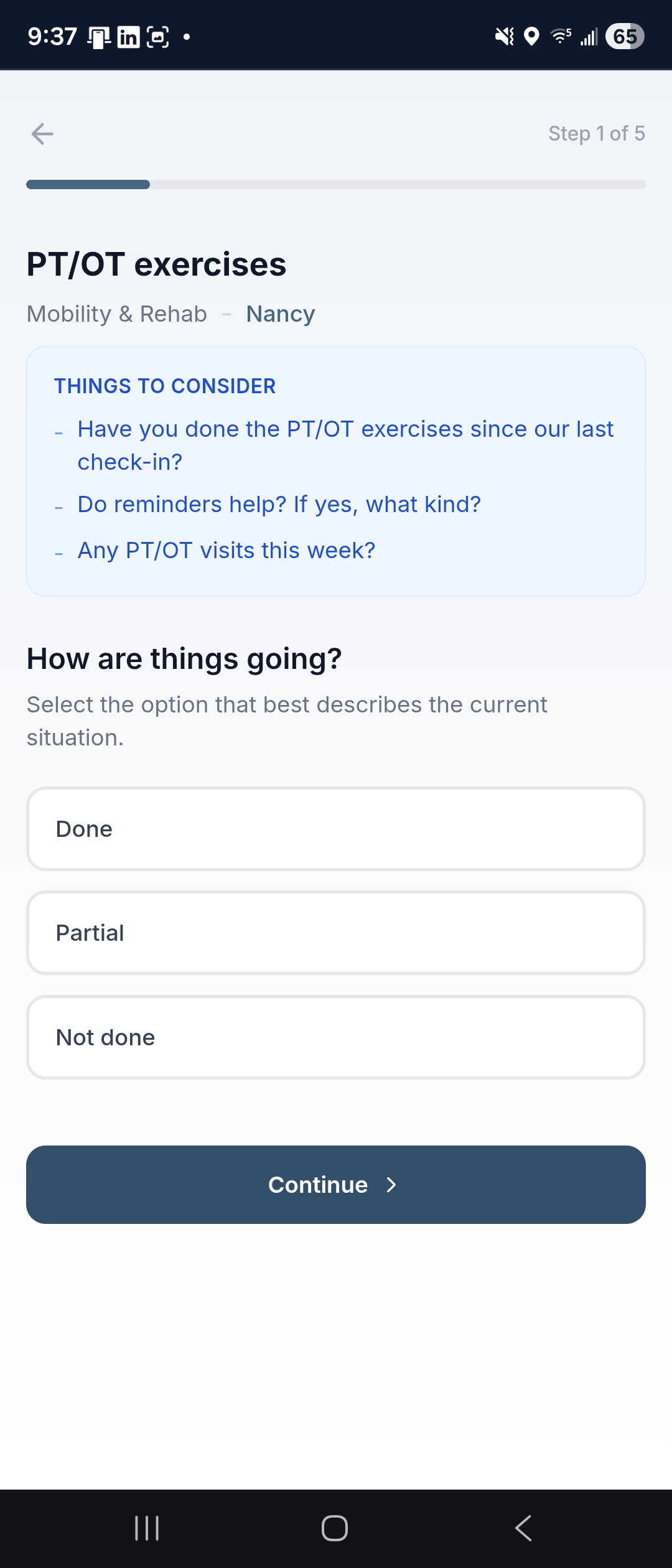
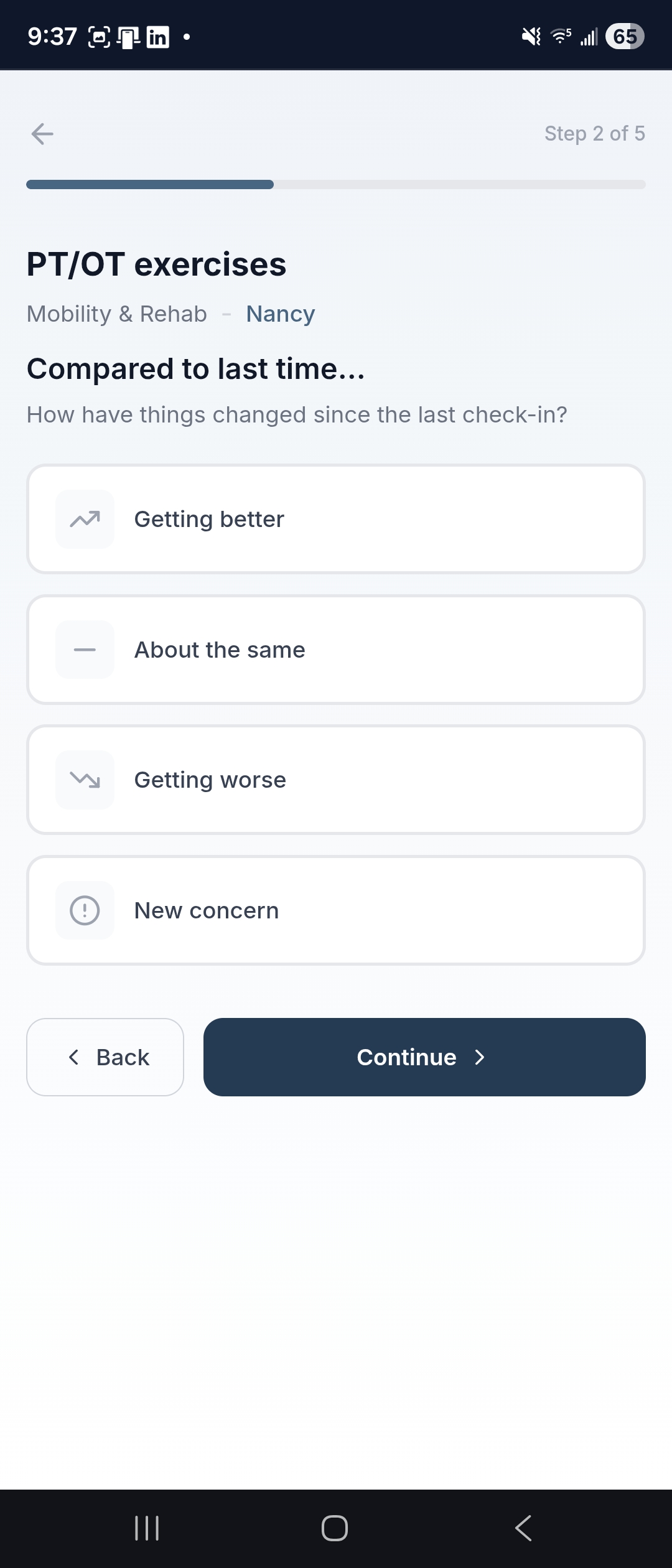
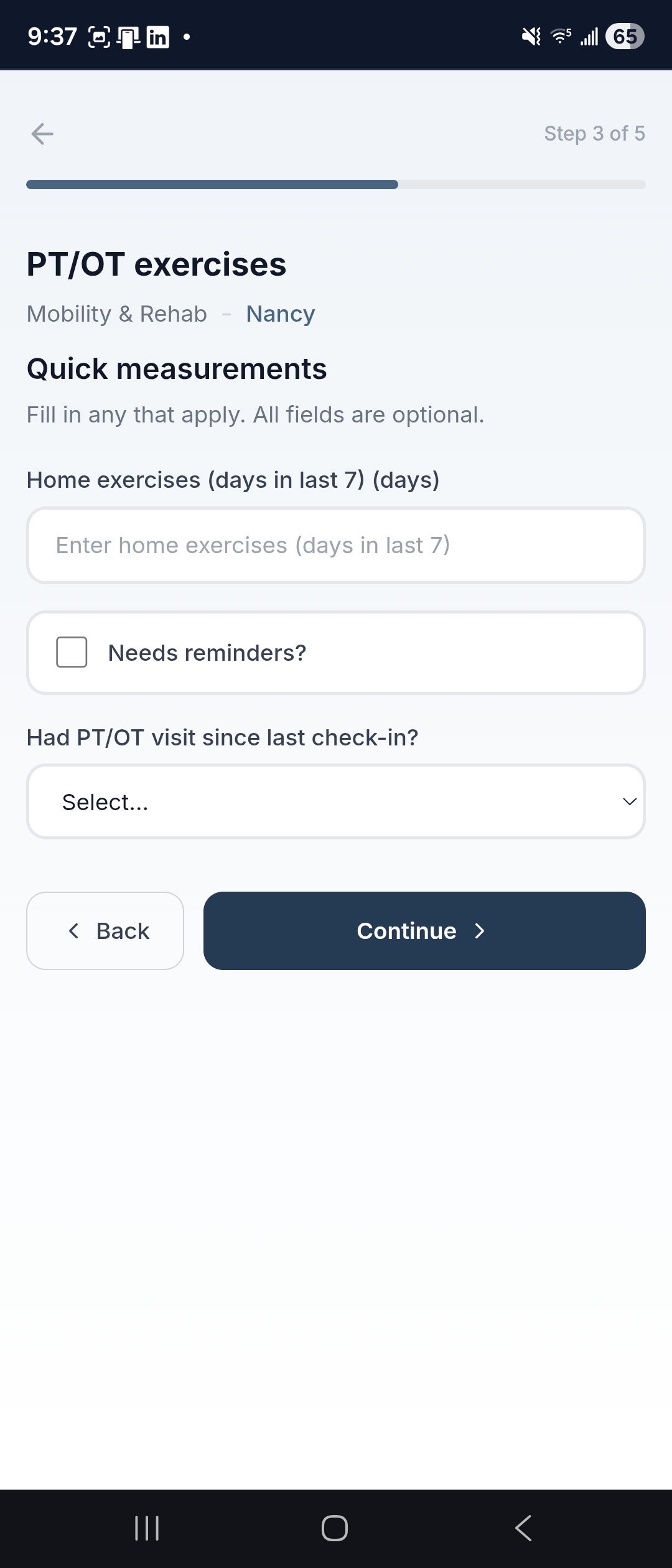
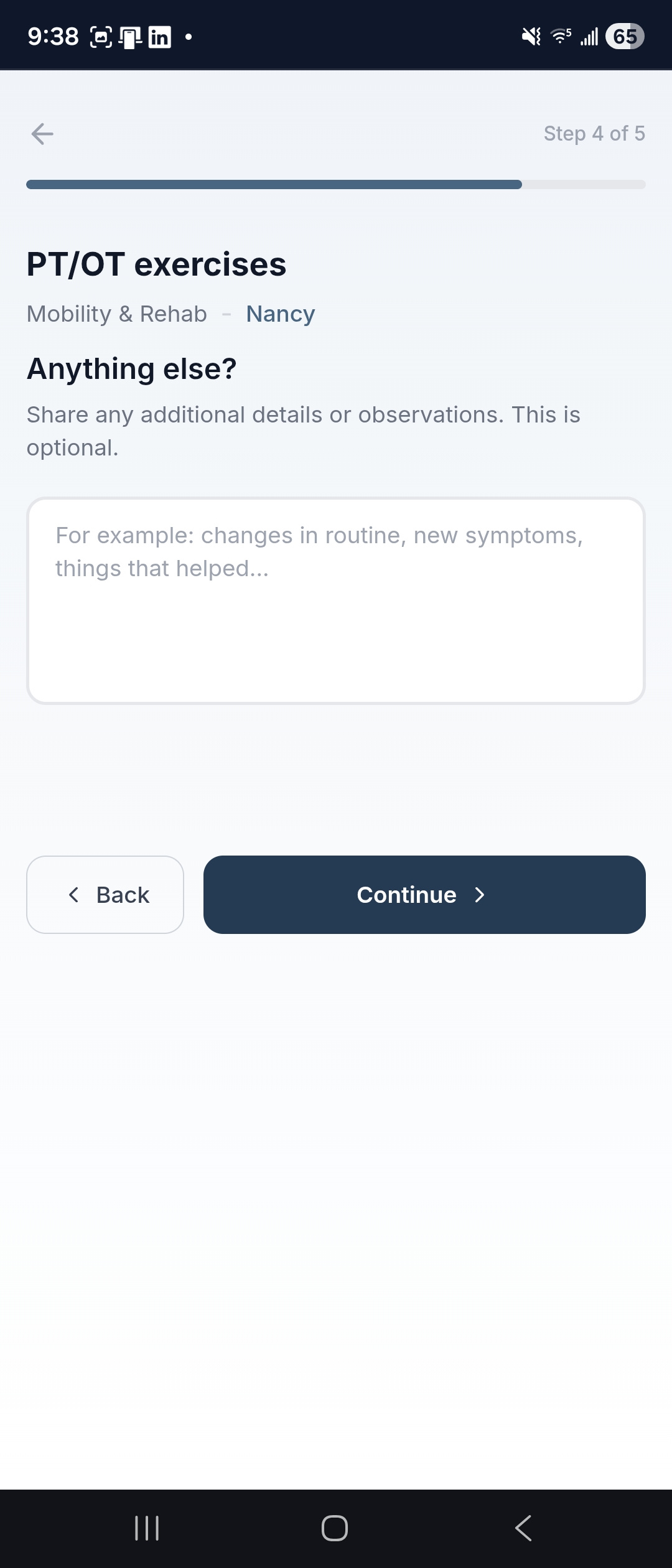
Your Navigator proactively follows up on the things your family has agreed matter most — not just medical items, but the full picture of daily life. For families that need updates more often than weekly or biweekly calls, digital check-ins fill the gap.
- Focus Areas — cover what matters: PT/OT exercises, appetite, bills, home safety, social connection, caregiver wellbeing; your Navigator and family decide what to follow
- Quick guided questionnaires — pushed to the supported person or a caregiver; respond in a minute from your phone
- Navigator-reviewed — your Navigator reviews every response and follows up personally when something needs attention
- Part of the record — responses become documentation your Navigator uses to keep care summaries and updates accurate
- Growing library — if something matters to your family, it can be tracked; the library of Focus Areas is always expanding
Care Network Directory
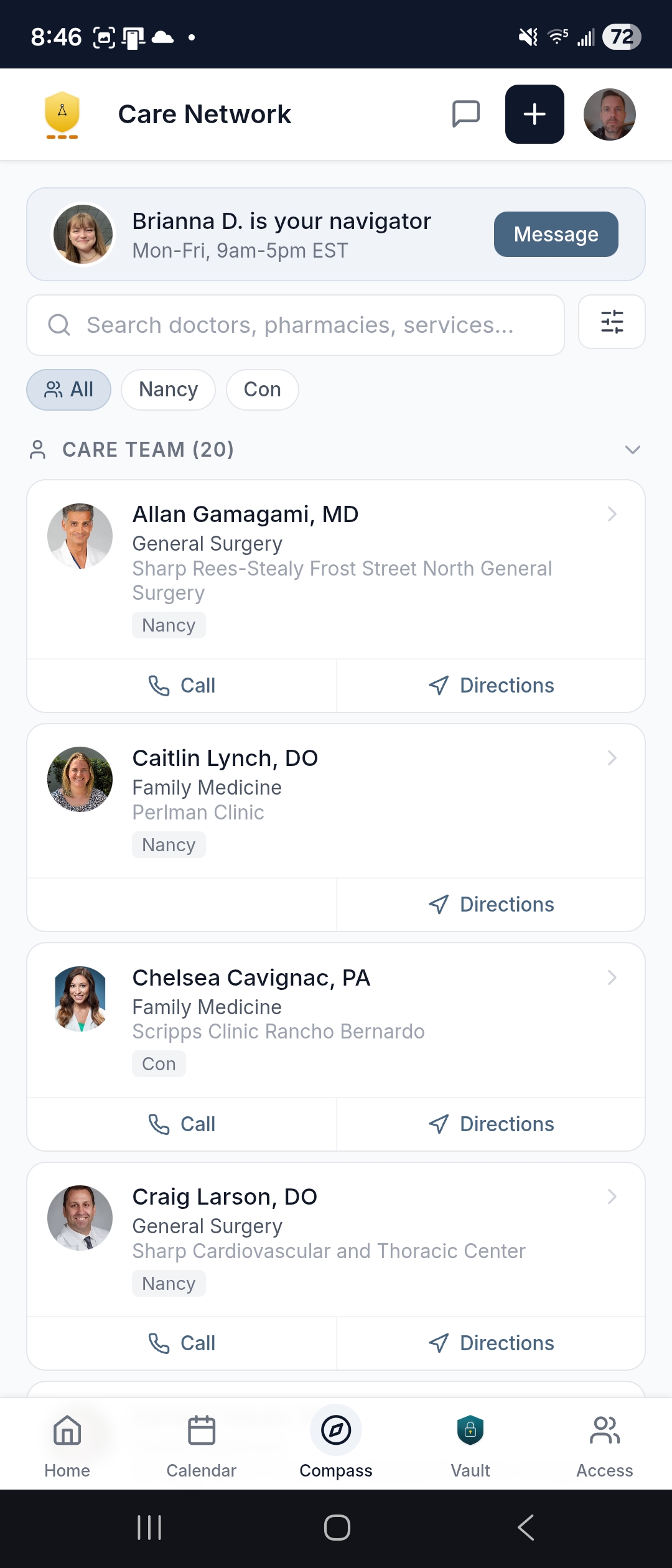
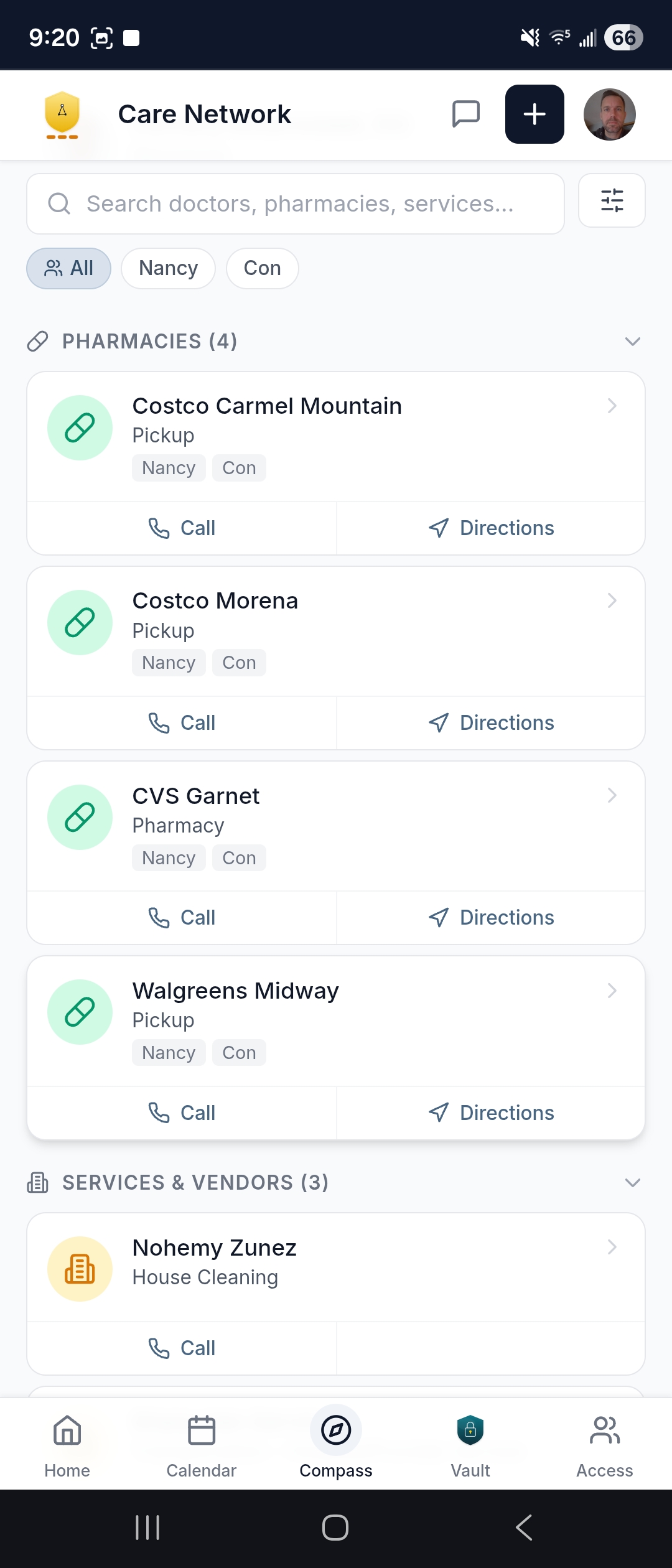
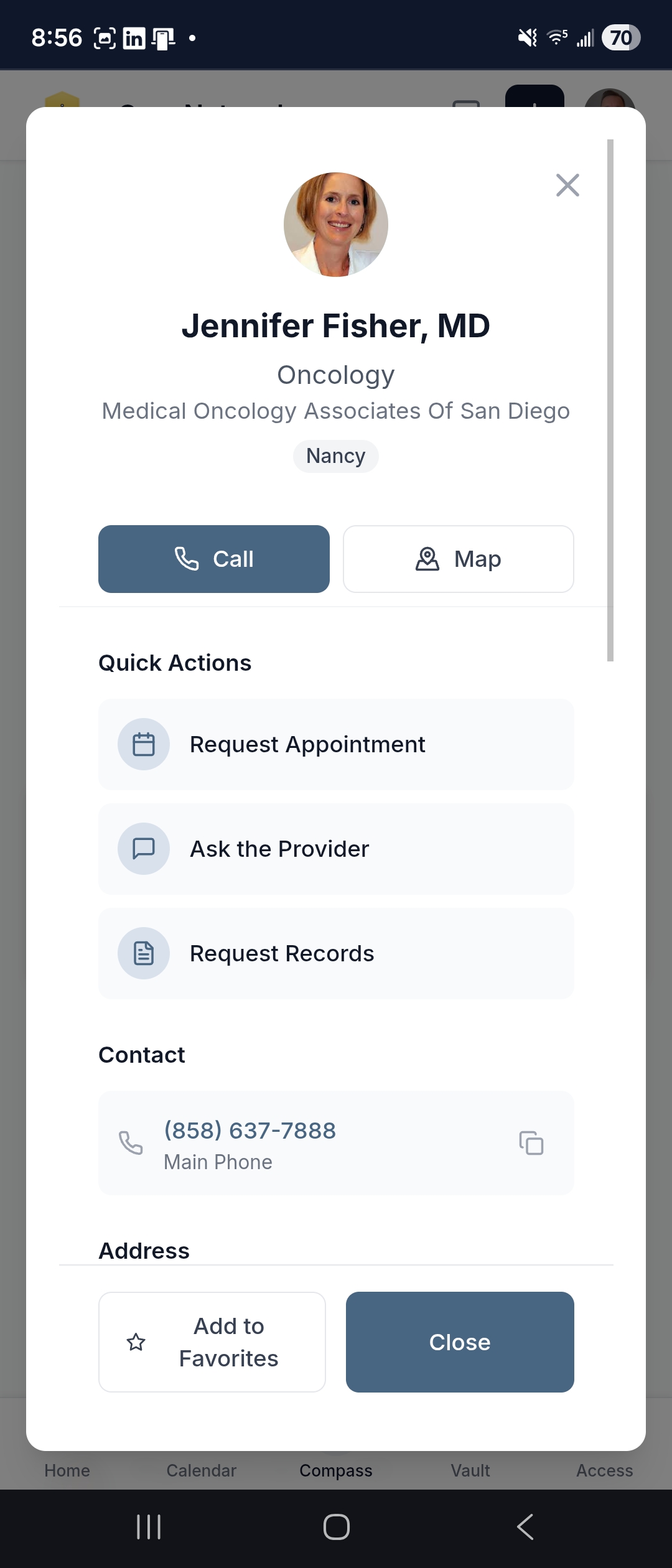
Everyone involved in the care, in one directory. Every provider, every pharmacy, every vendor — with phone numbers, addresses, and one-tap directions.
- Filter tabs — Care Team, Pharmacies, Services & Vendors; find what you need quickly
- Favorites — pin the contacts you use most for quick access
- Provider detail — one-tap calling, directions via Google Maps, and scheduling links
- Your Navigator is always listed — photo, name, and direct contact info
- The full network — not just one provider's information; every provider, every pharmacy, every service involved in the care
Learning Center
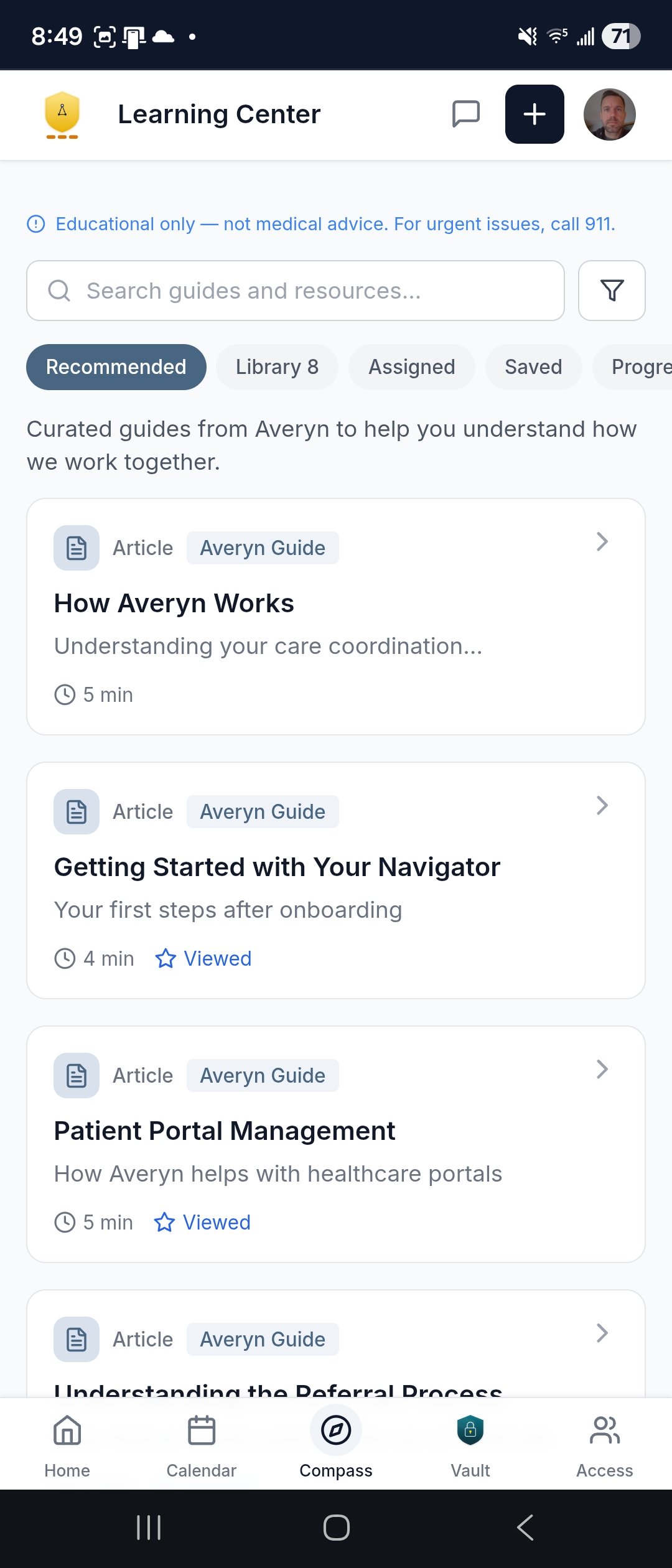
Not a dump of 10,000 generic health articles. The Learning Center is curated, actionable content your Navigator assigns when it's actually relevant — a discharge checklist the day your dad comes home from the hospital, not buried in a manual you were supposed to read a month ago.
Content built for doing, not just reading
- Interactive checklists — step-by-step workflows with checkboxes you can complete: appointment preparation (before, during, after), hospital discharge transitions, and post-hospitalization follow-ups
- Communication templates — copy-paste scripts for coordinating with siblings, requesting help, setting boundaries, or sharing updates after a decision; customize and send instead of drafting from scratch
- Guides and articles — plain-language explanations of how referrals work, what your Navigator handles with portals, what to expect from weekly updates, and how to get the most out of the service
- Downloadable PDFs — print-friendly materials for offline access: appointment prep sheets, medication logs, and reference cards you can bring to a visit
- Curated external links — vetted third-party resources (government benefit programs, condition-specific organizations, accessibility services) with context on why they're relevant to your situation
The right information at the right moment
Content is organized around moments in the care journey — not abstract medical topics. Your Navigator assigns what's relevant now and adds a note explaining why:
- After a hospital stay — discharge planning, home setup, follow-up scheduling, medication changes
- Starting with a new specialist — what to bring, questions to prepare, how to coordinate with existing providers
- Setting up portal access — how proxy access works, credential security, what your Navigator monitors on your behalf
- Bringing services into the home — coordinating home health, equipment, and aide schedules
- Ongoing coordination — maintaining the rhythm of weekly updates, routine scheduling, and family alignment
Organized for your family
- Tabs — Recommended, Library, Assigned, Saved, and Progress so you can find what you need quickly
- Progress tracking — the app remembers what you've viewed and completed, and your Navigator can reference shared content in conversations
- Bookmarking — save the guides you reference often (the discharge checklist, the communication templates) for quick access
- Searchable by topic — 9 topic areas covering referrals, appointments, portals, insurance, medications, home services, hospital transitions, family communication, and document organization
All content is educational and organizational — never medical advice. The Learning Center focuses on administrative coordination, not treatment decisions.
Family Access & Security
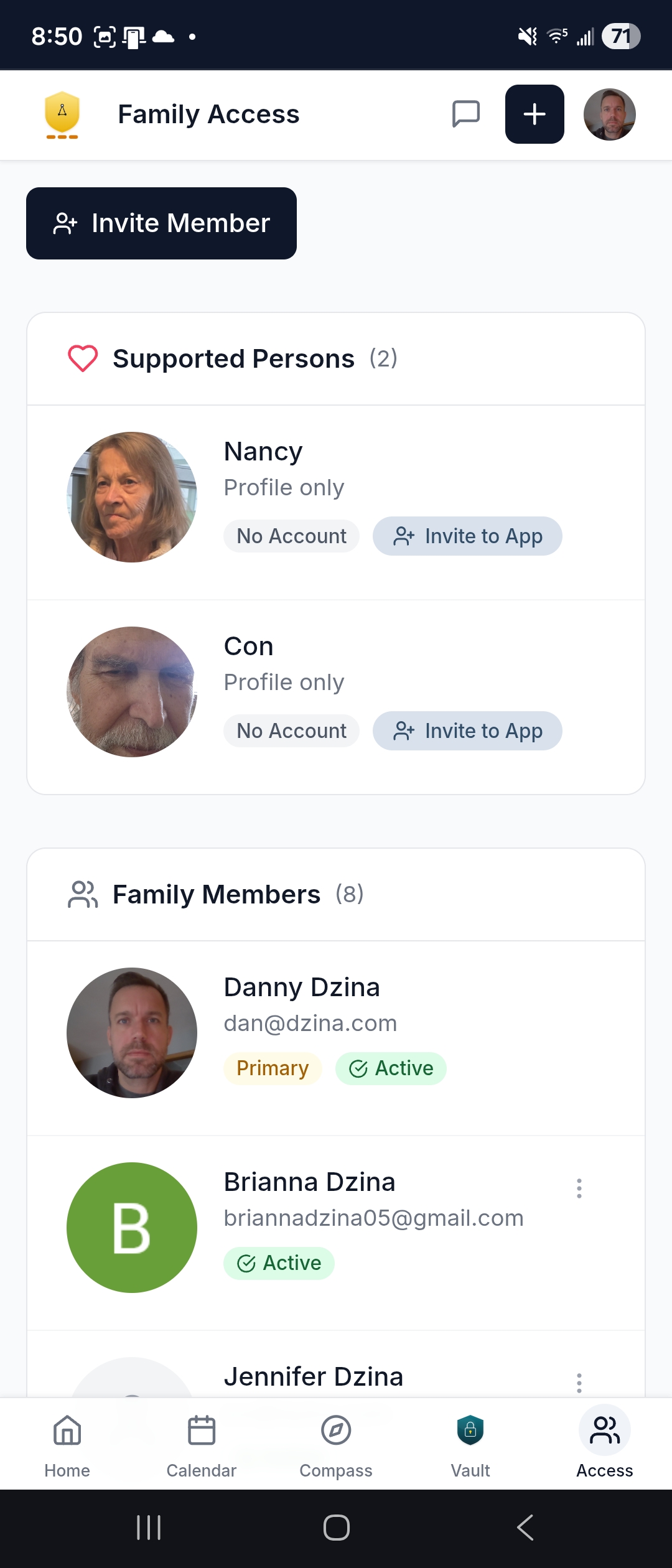
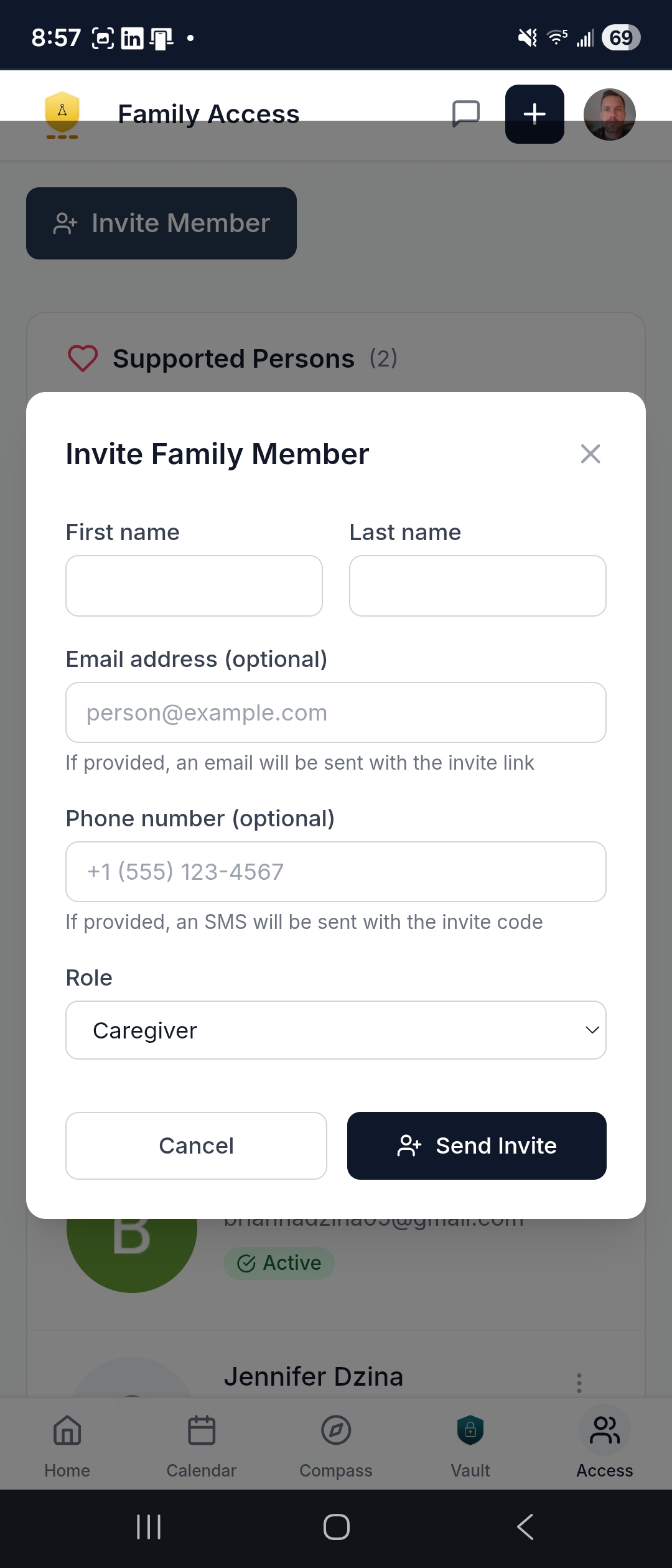
The Primary Contact controls who has access. Invite family members, manage permissions, suspend or restore access anytime. Everyone involved in the care — or just following along — stays informed at the level that works for them.
- Individual accounts — each family member gets their own login with profile and contact preferences
- Invite via email or text — secure registration with identity verification
- Configurable notifications — each person chooses what they receive and how
- Primary Contact governance — the person authorizing the coordination stays in control of who sees what
Ready to see it for yourself?
Every Navigation Plan includes full access to the Averyn app. Start with a short conversation to confirm fit.
Averyn provides non-clinical administrative coordination. We do not provide medical advice, clinical triage, emergency services, or 24/7 monitoring. If there is an urgent medical concern, call 911 or contact the Supported Person's clinician.