
One place to keep your entire family aligned
Every Averyn Navigation Plan comes with a family app built for one thing: giving everyone involved in a loved one's care the same information, at the same time, without anyone having to relay it.
Client login → Already a client? Sign in to your app.
This is not a patient portal
A patient portal shows you one provider's narrow slice of the picture. The Averyn app shows your whole family the complete picture — every provider, every appointment, every document, every open item — in one place.
And this isn't everyone seeing what the patient sees. It's a collaboration space — purpose-built so siblings, caregivers, and helpers can work together with your Averyn Navigator without anyone falling behind or working from outdated information.
Use of the app is optional. Your Navigator reaches out however works best — phone, email, text, video. But if you want to keep an extended family on the same page and reduce repeated conversations — the app is where that happens.
Here is what it replaces: the "what did the doctor say?" phone chain. The group text nobody reads completely. The shared calendar nobody updates. The spreadsheet that's already out of date. The result is fewer misunderstandings, fewer mistakes, and less time spent repeating yourself.
You already have portals. We know.
Two portals. Three portals. Ten. Each one sends notifications that go to an email nobody checks — or sends so many that they become white noise. Half the time, getting any value out of a notification means four clicks and a download of some obtuse PDF.
Your Navigator, with your authorization, establishes portal delegate access and reads those notifications for you. New records get consolidated into your Record Vault. Action items that need a decision get pushed to you in plain language. Logistics — missing paperwork, appointment scheduling, referral follow-up — your Navigator can execute directly.
You still have your portals. But you can stop white-knuckling the inbox, because your Navigator has a tracking system to distill the noise into next steps.
For providers who don't have a portal, Averyn sets up a proxy email address for every supported person — a shared inbox that goes to the supported person, the Primary Contact, and the Navigator. Appointment reminders, last-minute schedule changes, and provider correspondence land where everyone can see them, not in an email that nobody checks.
The result: fewer missed notifications, fewer portals to log into, and a Navigator who's already read the important ones before you have to.
Administrative coordination tool · Not clinical monitoring · Not emergency response
The features below help your family stay organized and aligned. Averyn does not monitor health conditions, interpret medical data, or provide clinical oversight.
Everyone sees the same thread
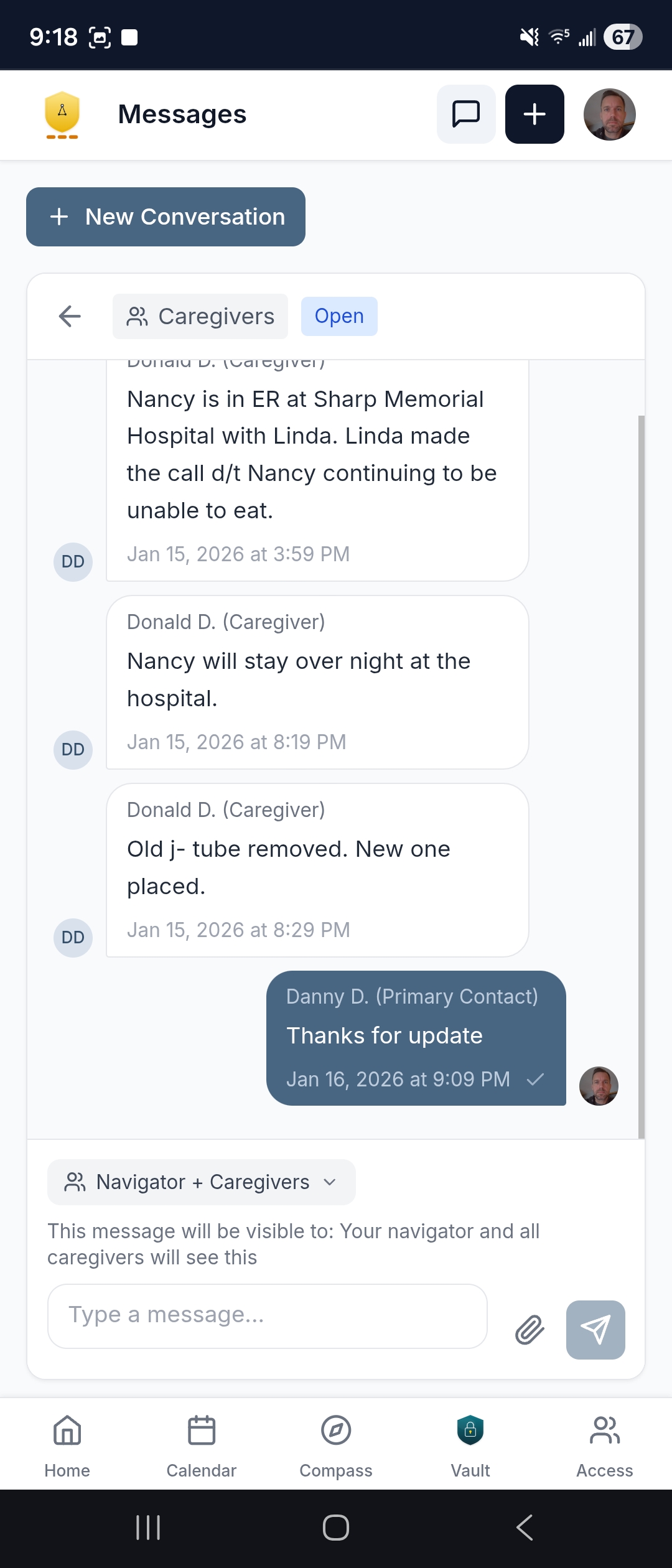
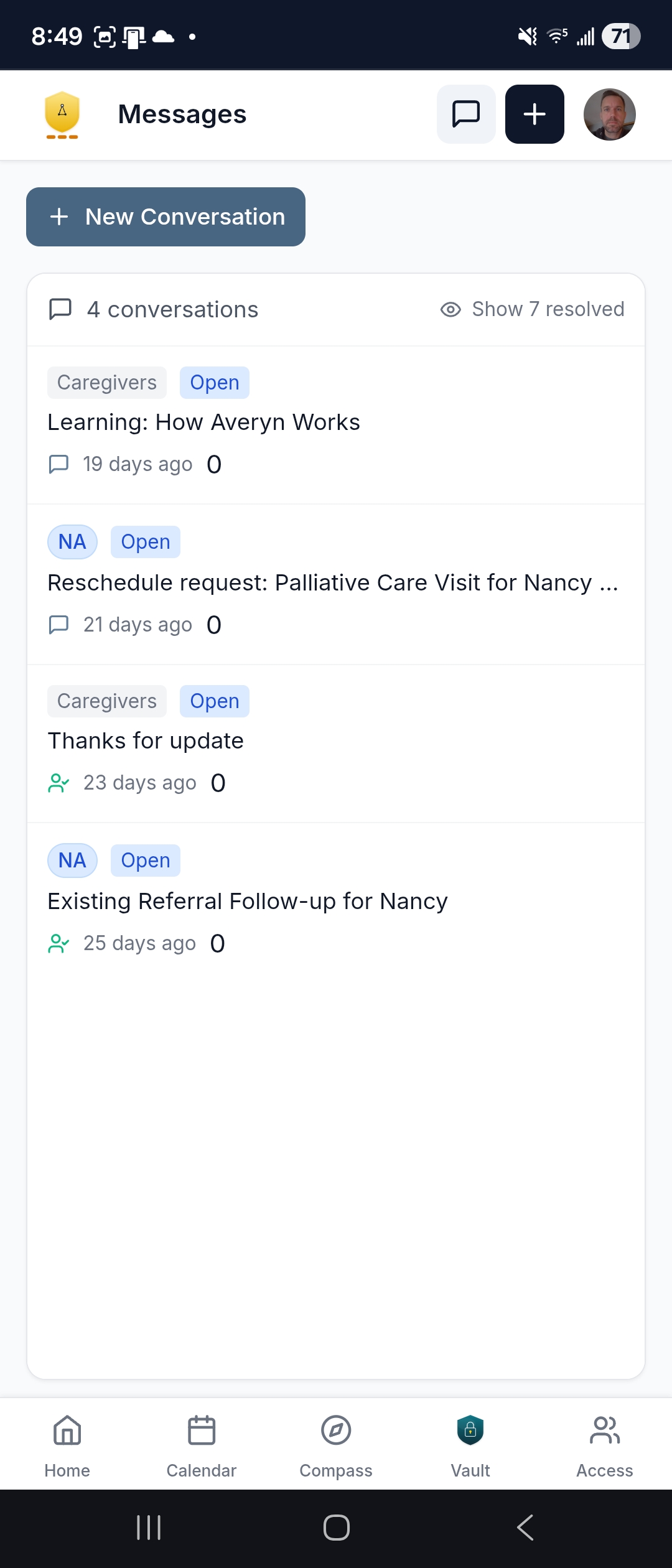
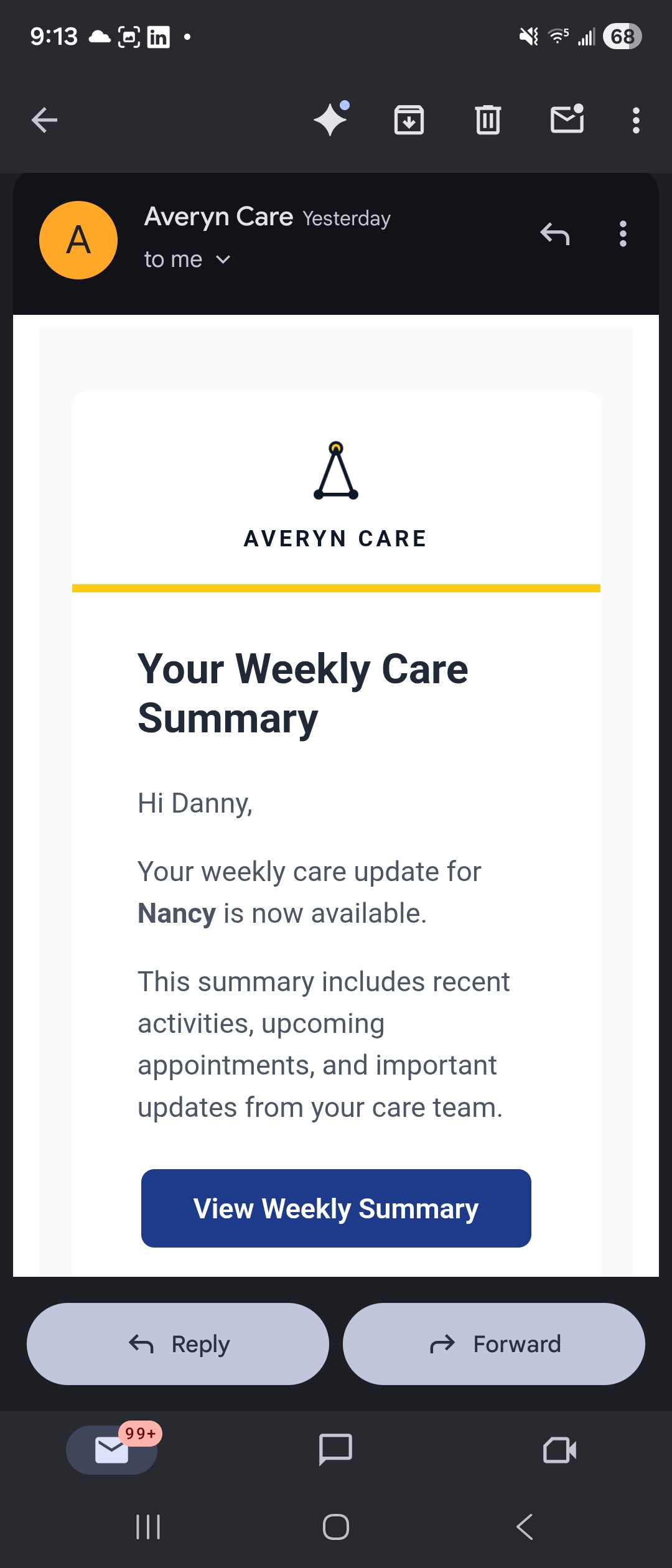
When your Navigator updates "the referral went through," your sister, your brother, and the caregiver all see it — in the same conversation, at the same time. No one has to relay information. No one has to ask what happened.
- Patient-tagged, threaded messaging — resolved threads tuck away, open ones stay visible
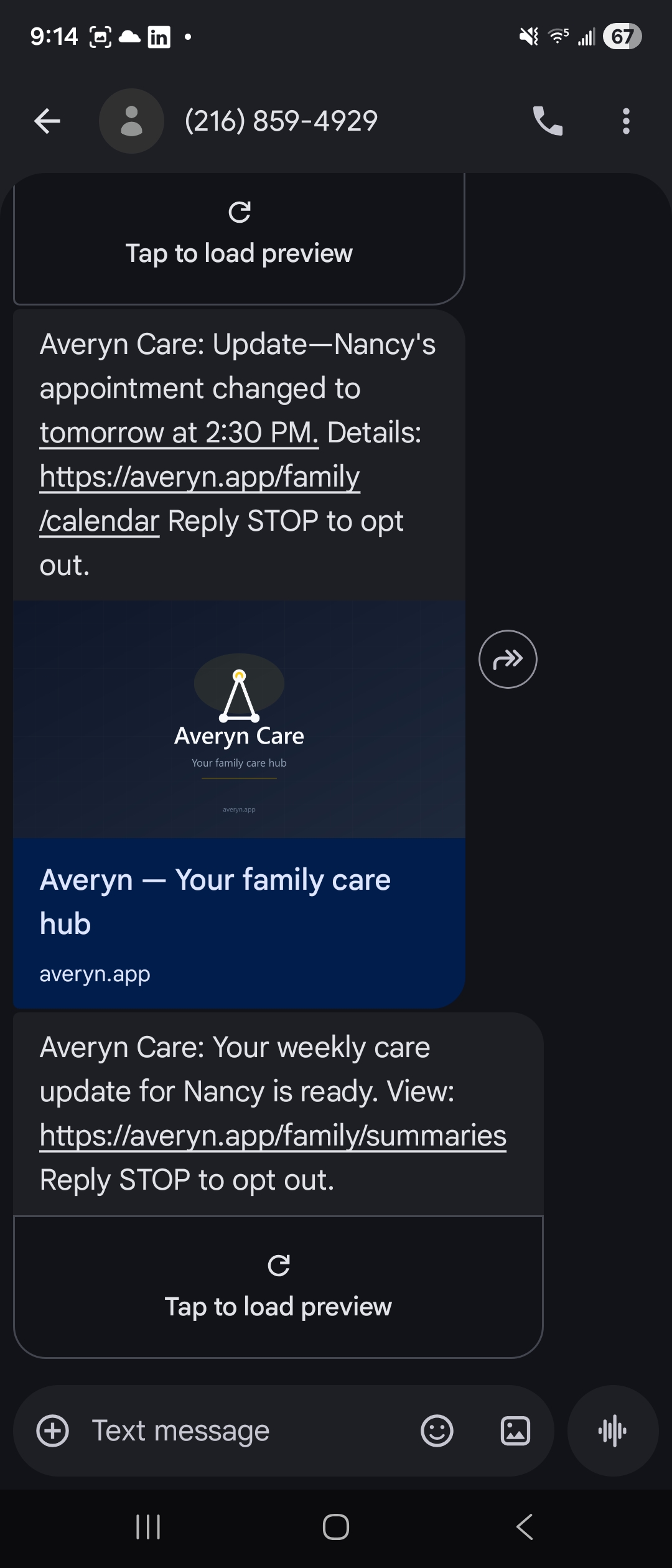
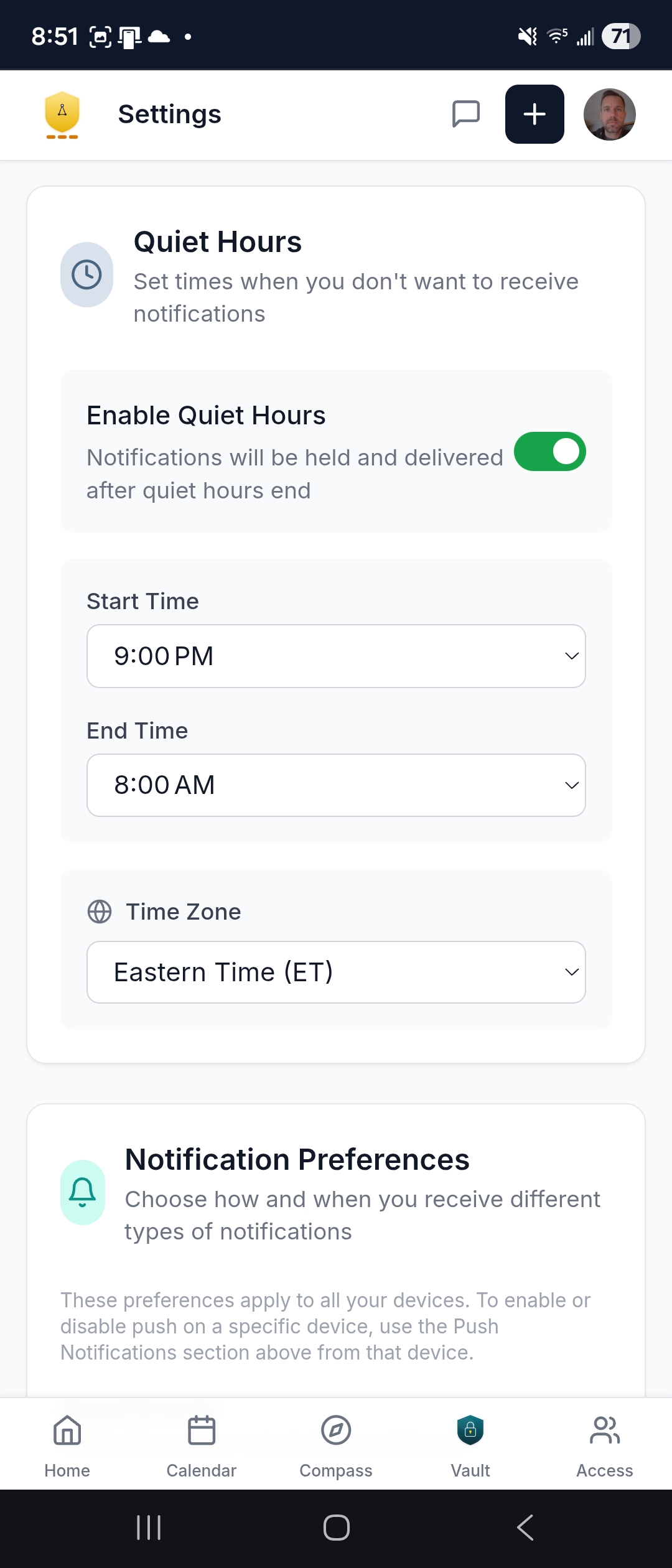
- SMS, email, and push notifications you control — appointment changes, new summaries, task reminders pushed to your phone on your terms
- Quiet hours so notifications respect your schedule
See what matters — right now
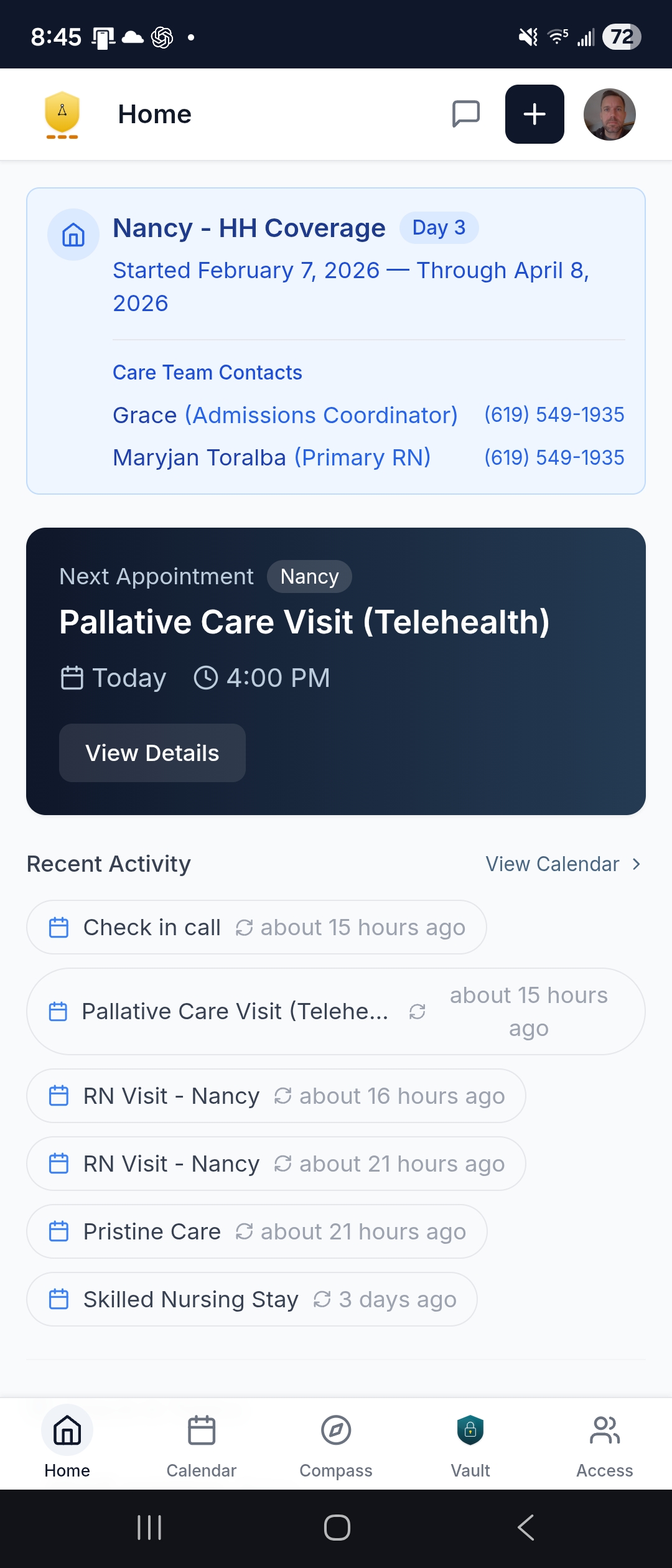
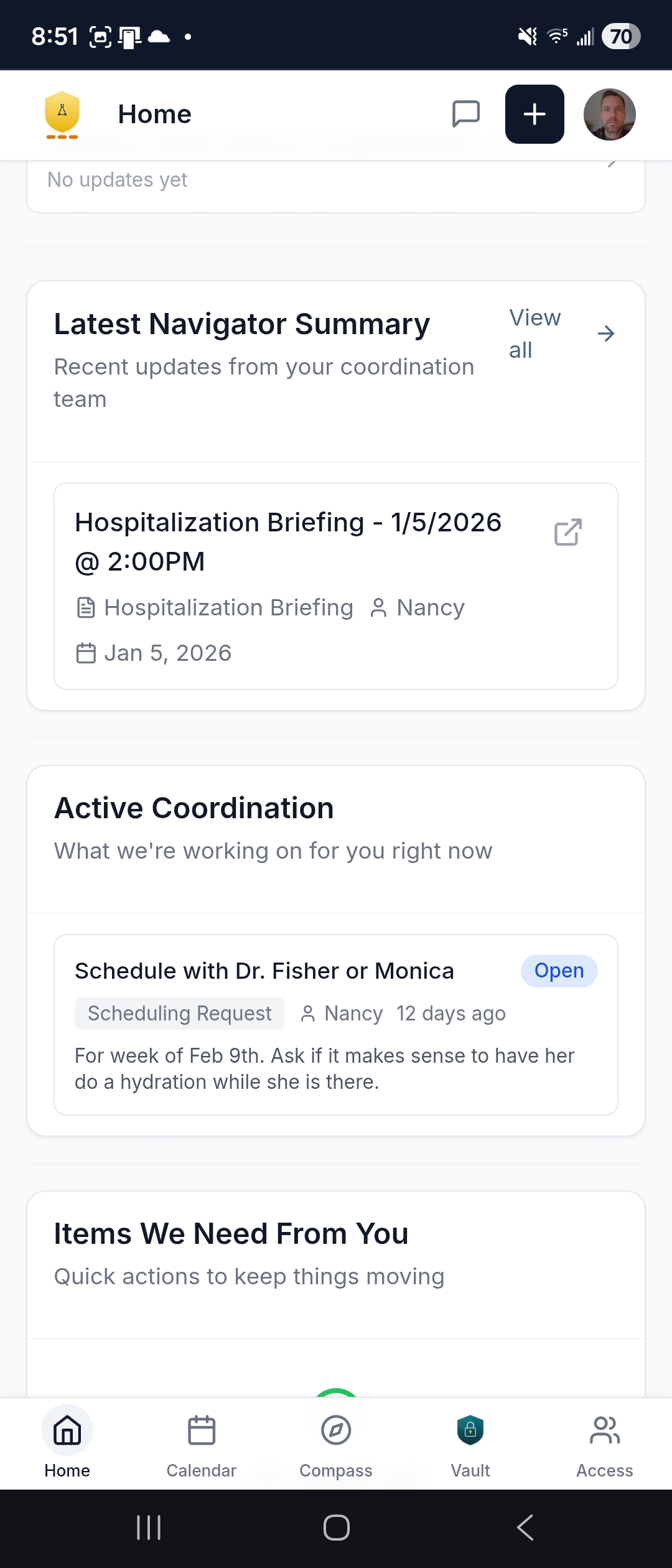
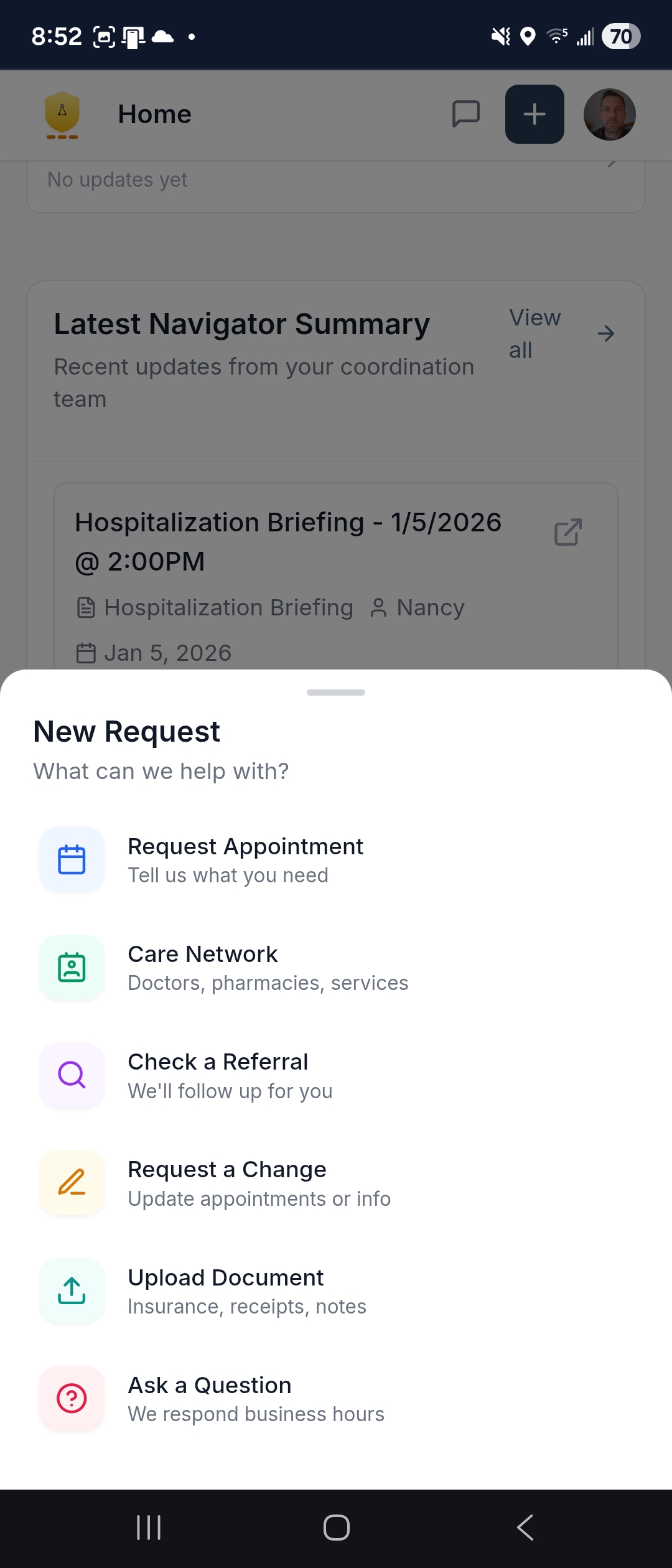
Your next appointment. Where your loved one is. What your Navigator has been working on. What needs your attention. The dashboard is the calm starting point — not a wall of data, but the five or six things you actually need to know.
- Latest Navigator summary — a 30-second briefing you can forward to a sibling
- Active coordination — open items your Navigator is working on, with status
- Quick actions: request an appointment, check a referral, upload a document, or ask a question — one or two taps
One calendar across every provider
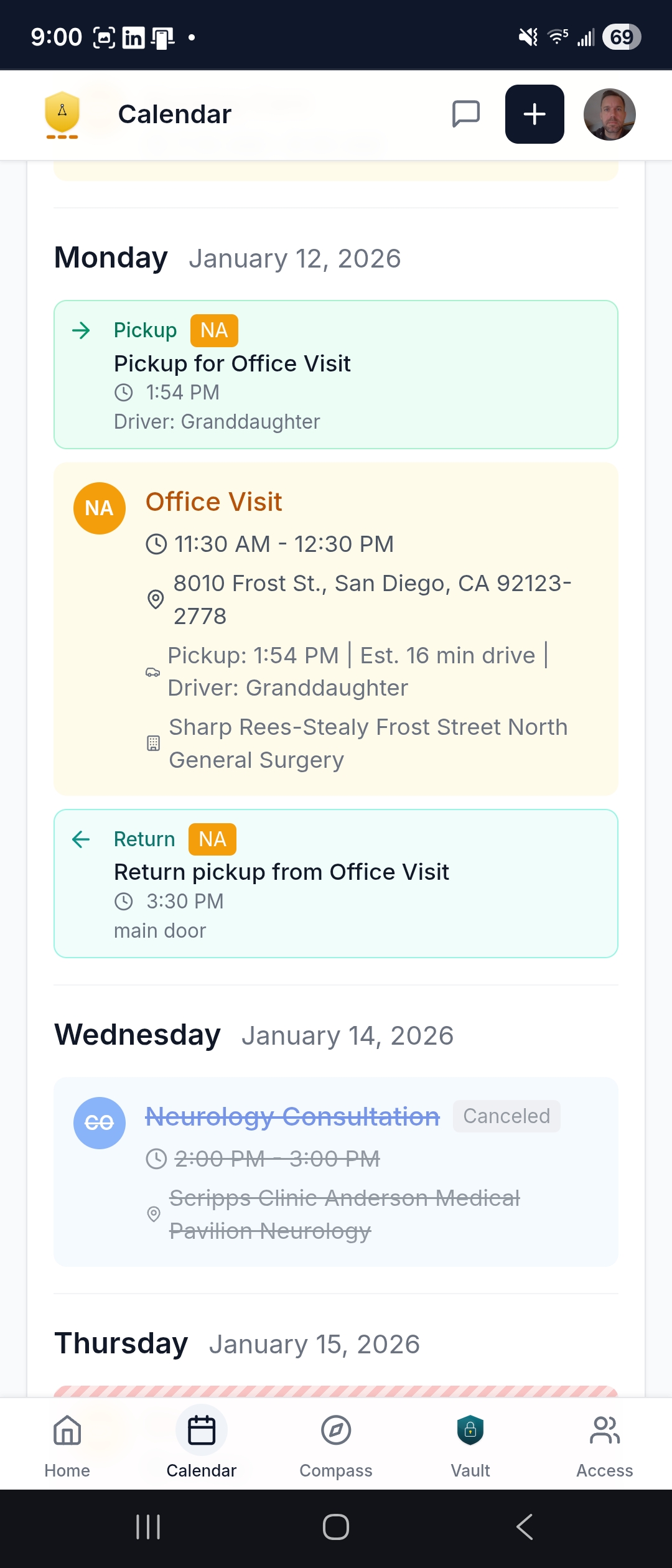
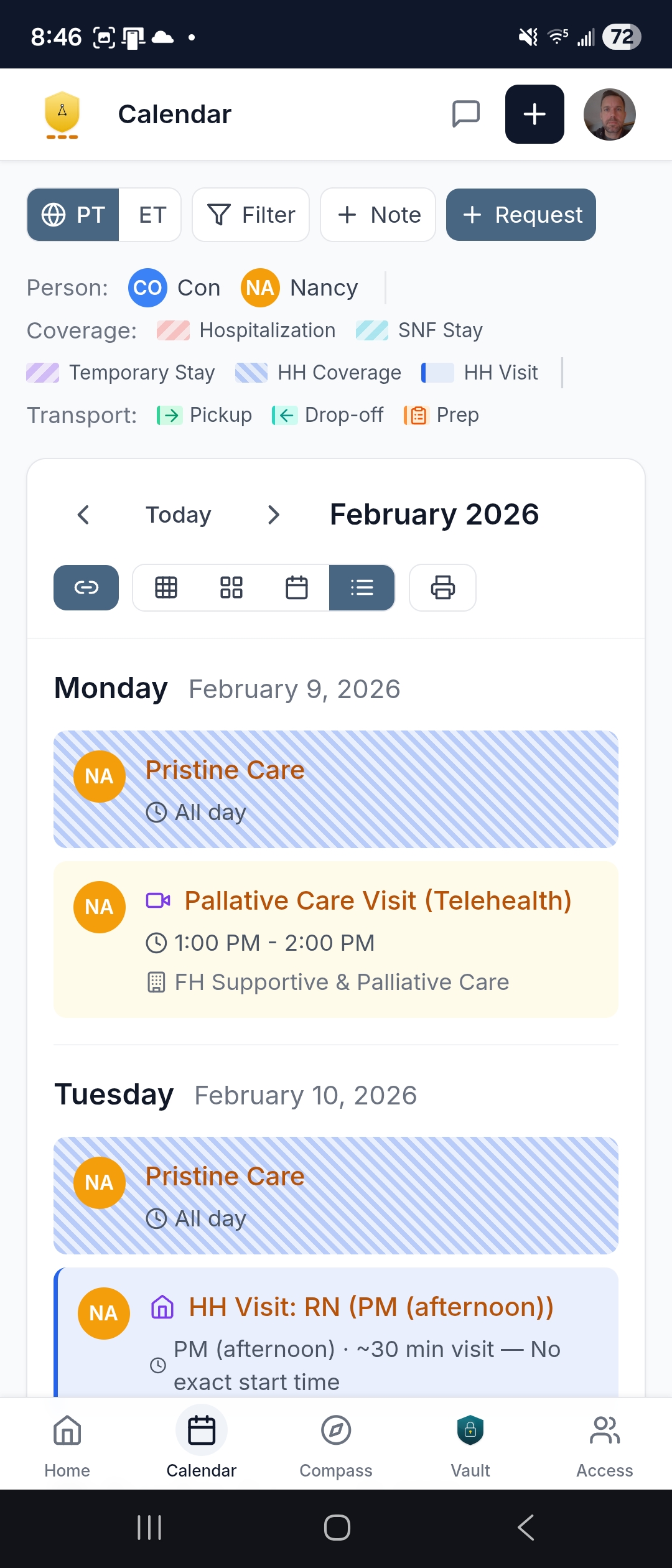
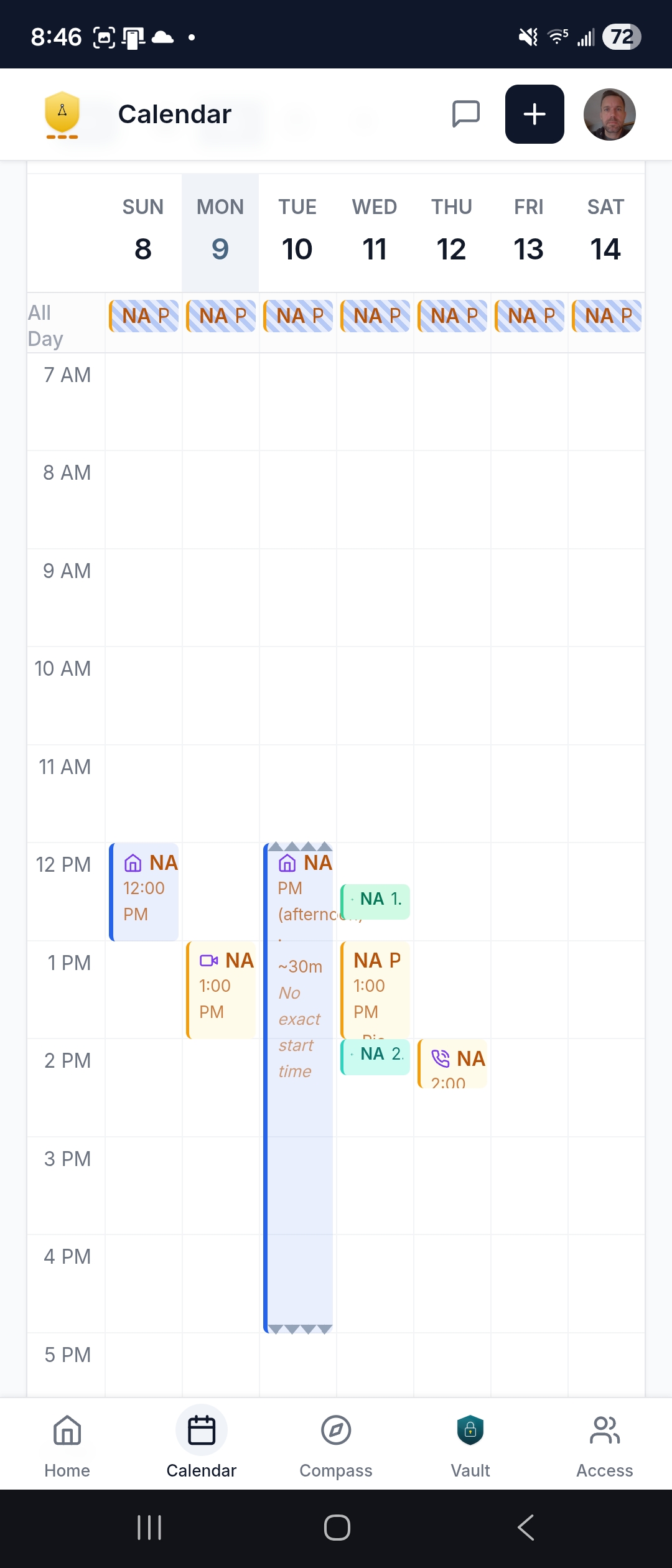
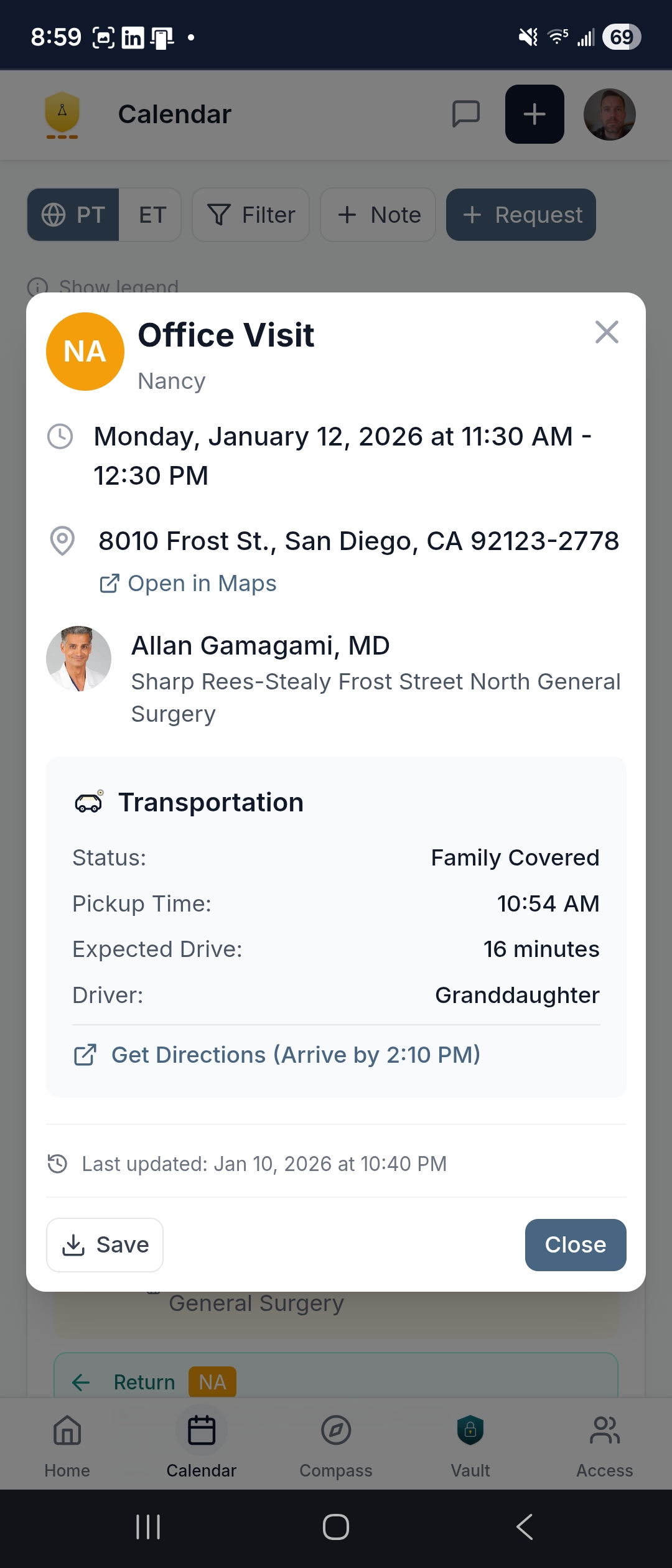
Not scattered across five portals that each show you only their slice. One unified view — color-coded by patient, with transportation, preparation reminders, and stay logistics built in. Subscribe from your personal calendar and see care alongside your work meetings.
- Transportation on every appointment — pickup time, driver, directions, return logistics
- Month, week, day, and agenda views — the agenda is printable for the fridge
- Request scheduling or changes right from the calendar — your Navigator can coordinate the back-and-forth at your direction
The Care Ledger — your home plan, executable
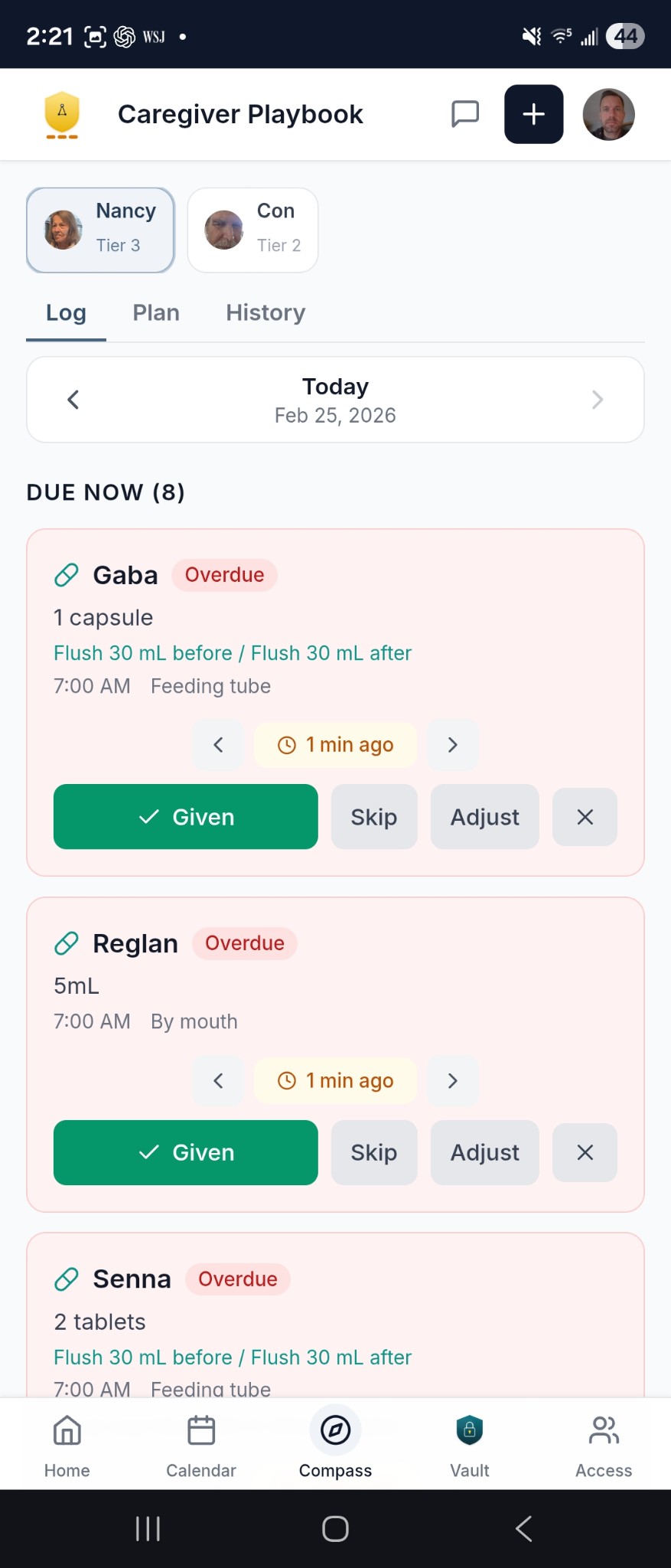
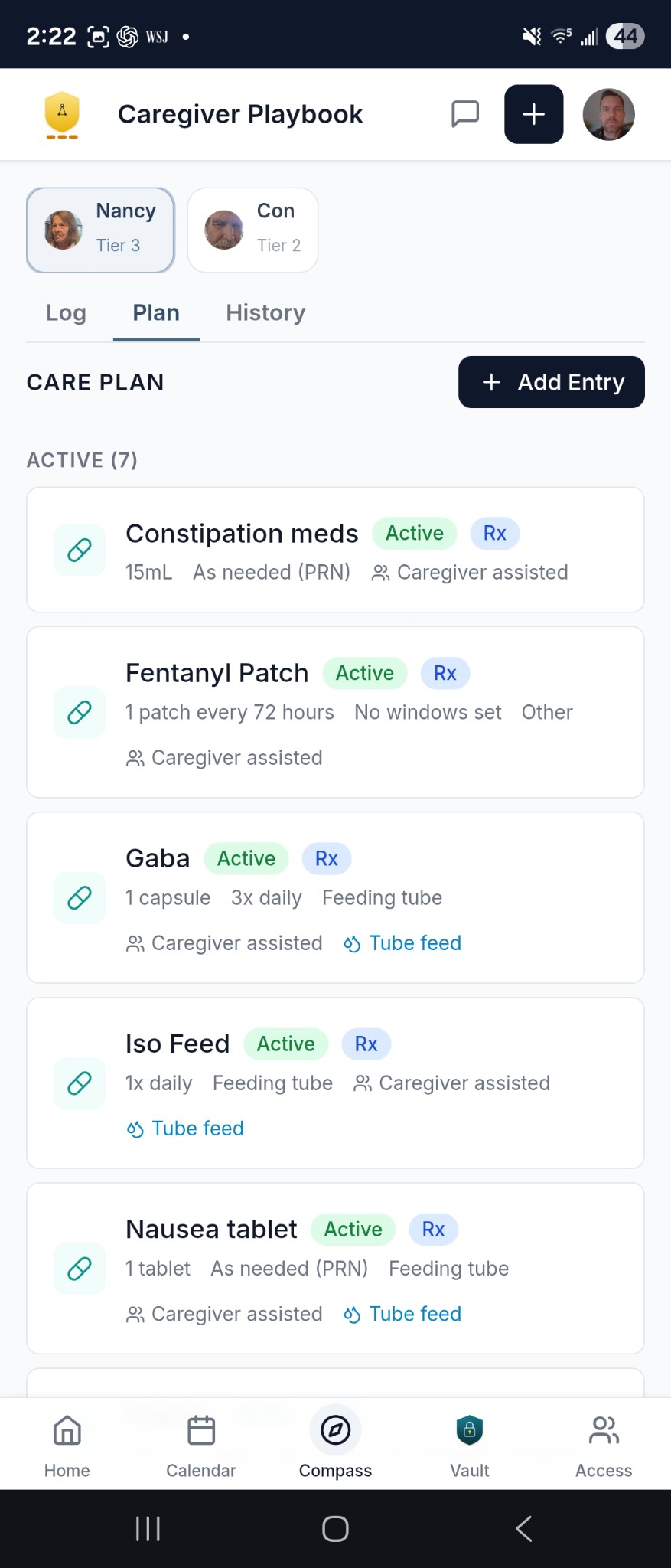
The Care Ledger is the living, day-by-day care plan that every helper works from. Medications, care activities, daily routines — defined once, followed by everyone. When a new caregiver walks in the door, the Ledger is their onboarding.
- Medication tracking with dose, route, schedule, and real-time status — overdue items surface automatically
- Care activities with step-by-step instructions, responsibility assignments, and special considerations
- Daily log view so every shift starts with "here's what's due now" — not "ask the family what to do"
- History tab — a full audit trail of what was given, skipped, or adjusted, and by whom
Available in Expanded and above. What changes by plan is whether the Ledger is self-managed, co-managed with your navigator, or daily managed (Anchor).
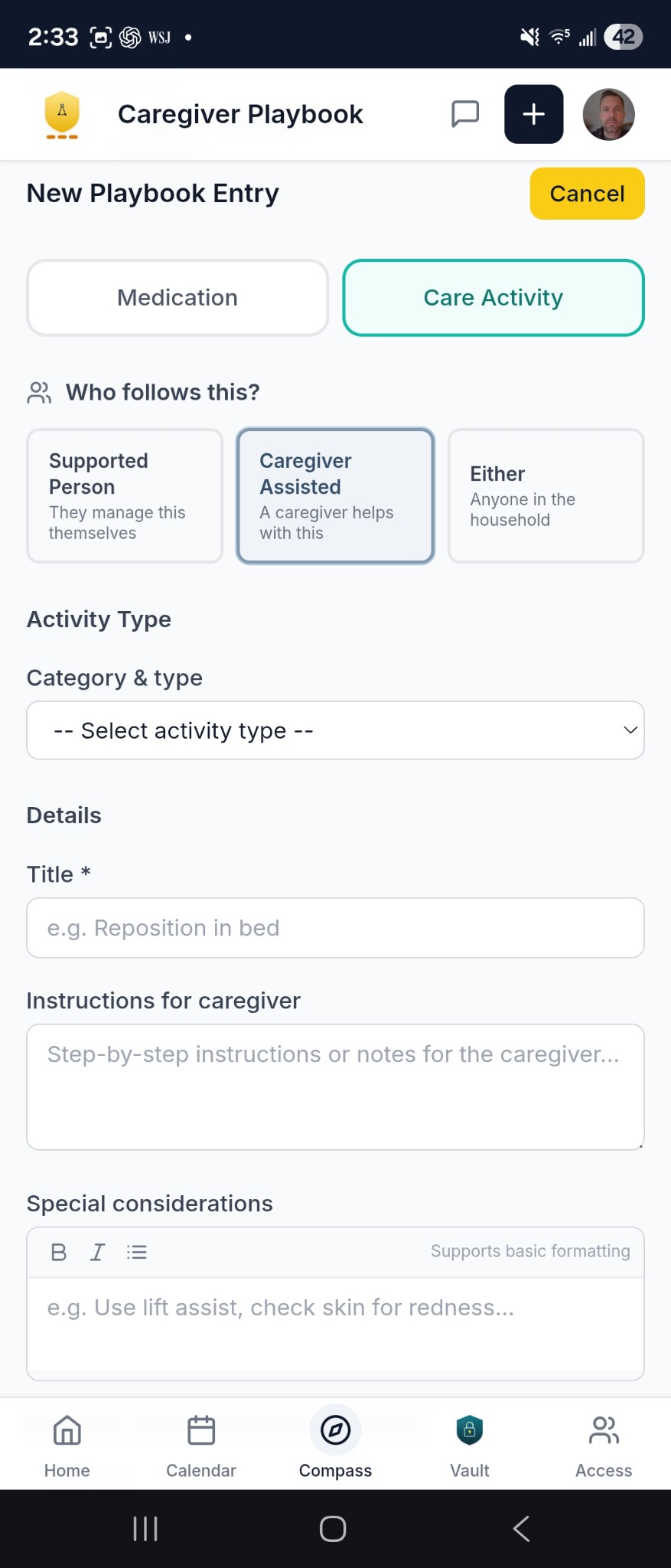
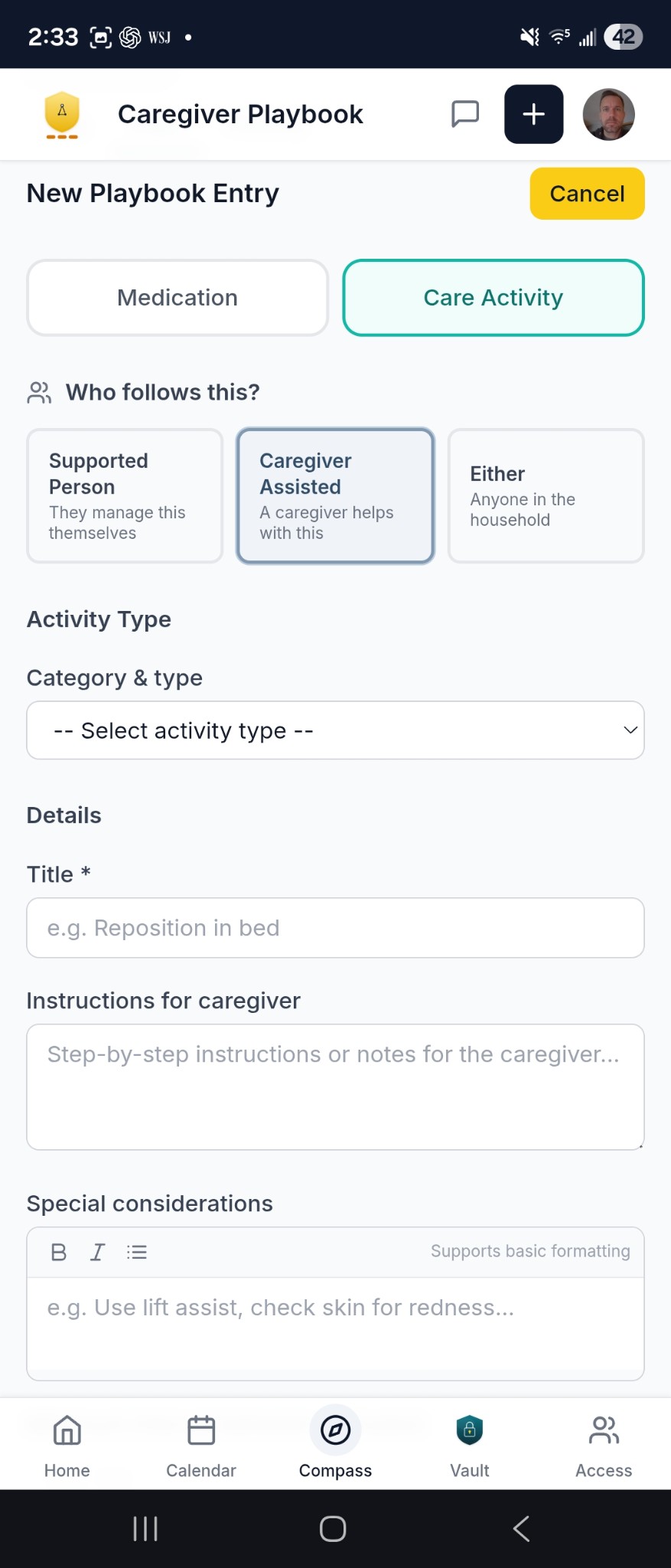
Built for the full picture
Beyond the dashboard, calendar, and messaging — the app includes tools that help keep every aspect of care organized and actionable. See every feature in detail →
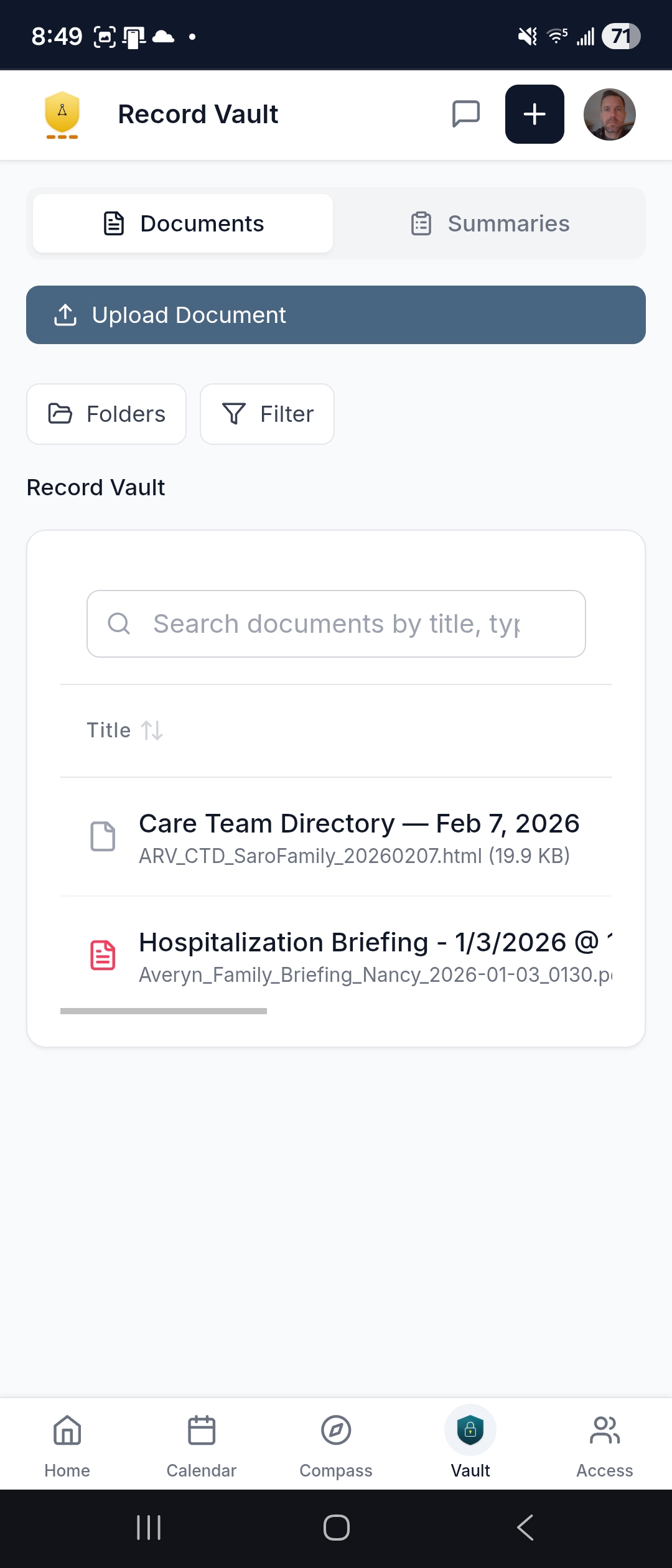
Every document — insurance, directives, discharge papers — organized by patient. Plus written Navigator summaries after key appointments, downloadable as PDFs. The complete picture across every provider, not just one portal's slice.
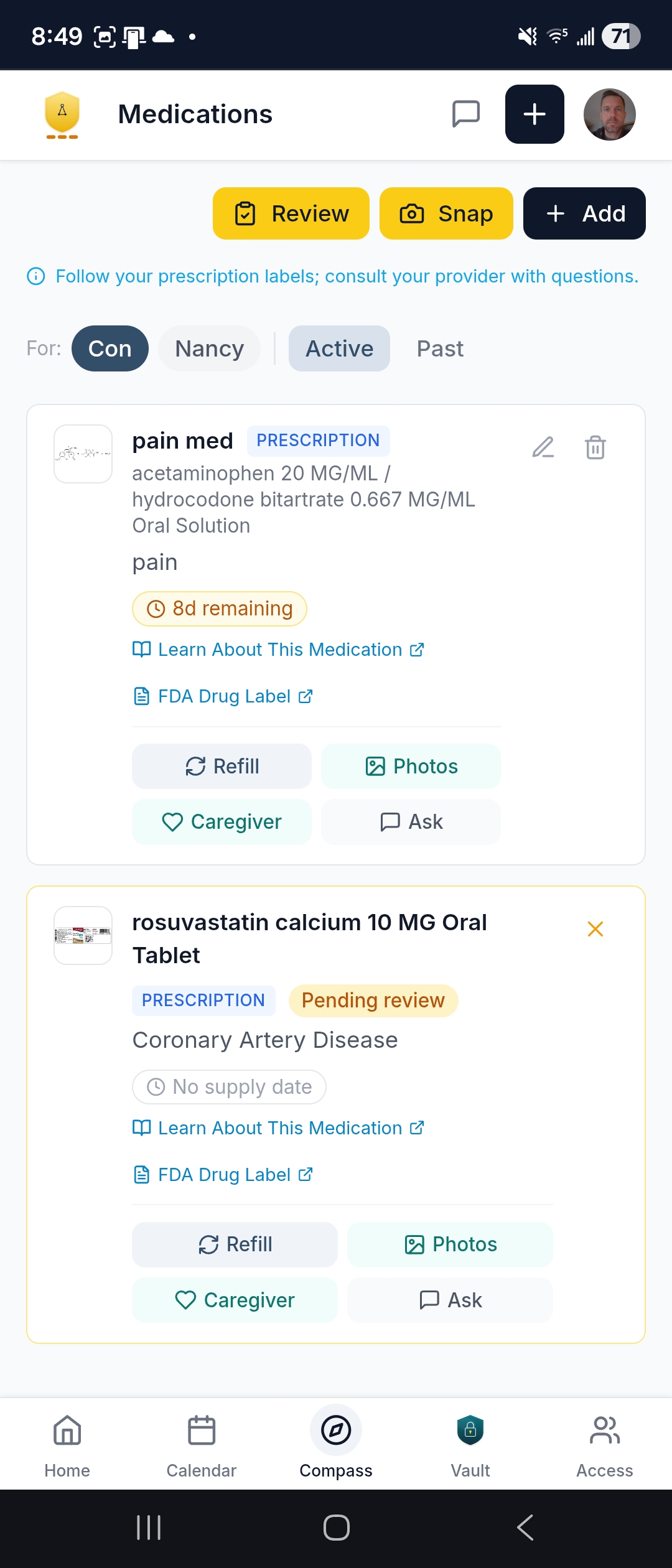
The full medication list — Rx, OTC, supplements — with supply countdowns so you know what's running low. One-tap refill requests, snap a pill bottle label to add a med, and a guided review wizard to flag issues for your Navigator.
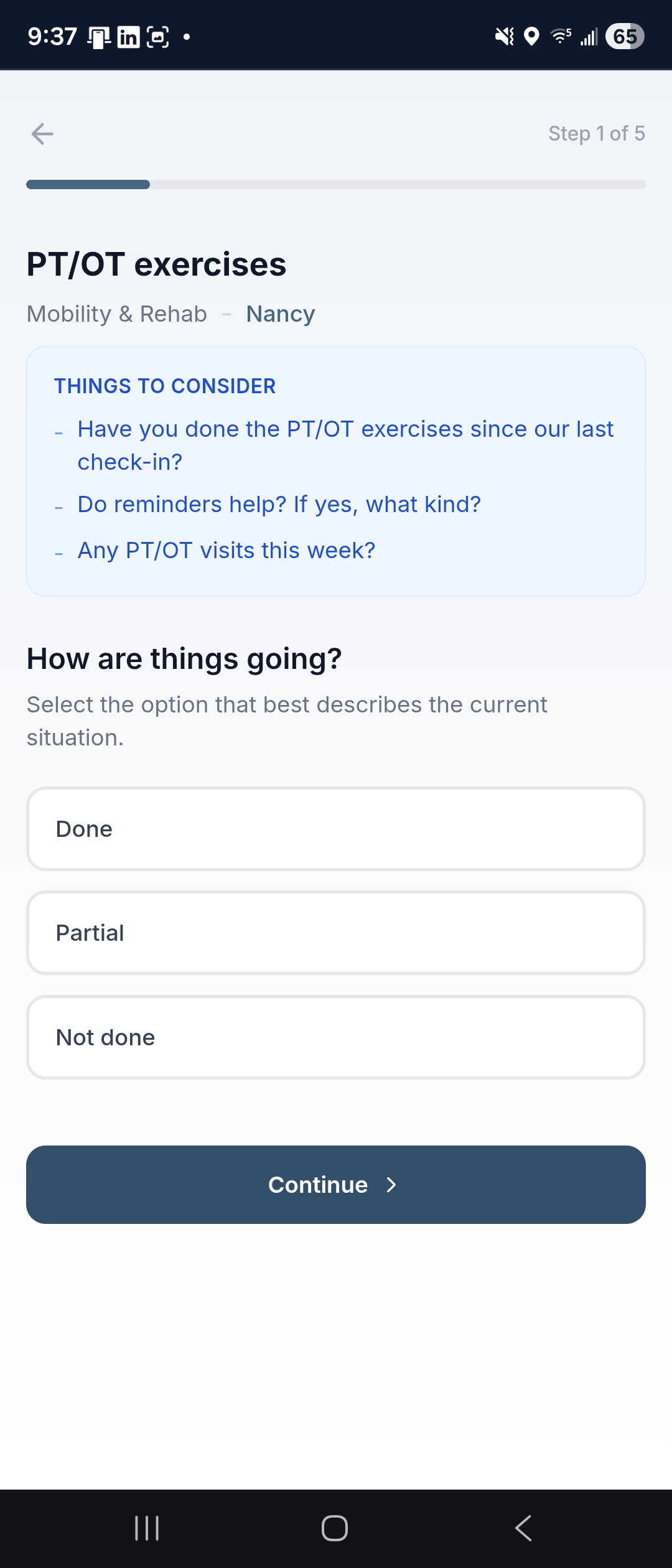
Your Navigator proactively follows the things that matter — exercises, appetite, bills, home safety, caregiver wellbeing. For families that need updates more often than weekly calls, quick digital questionnaires fill the gap. Every response is reviewed by your Navigator.
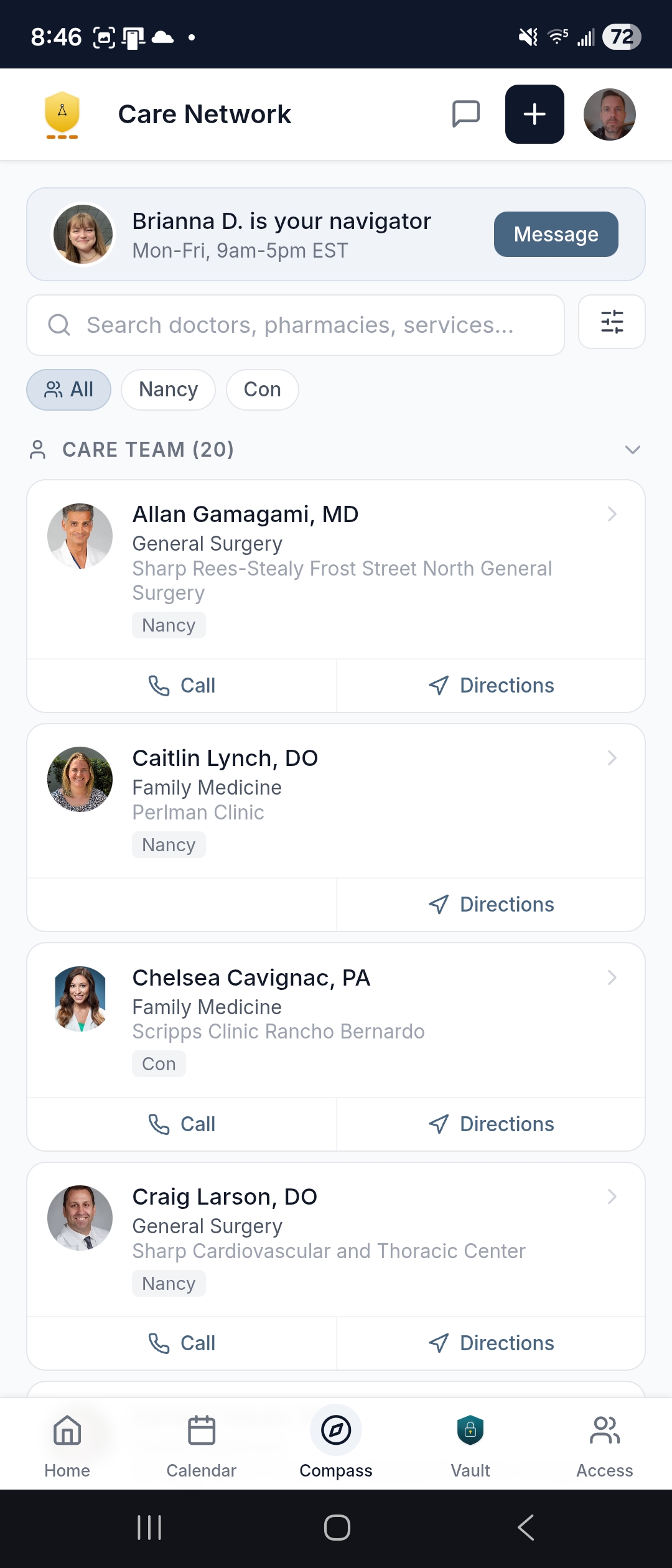
Every provider, pharmacy, and vendor in one searchable directory with one-tap calling and directions. When you're in a parking lot and need the specialist's address, it's right there.
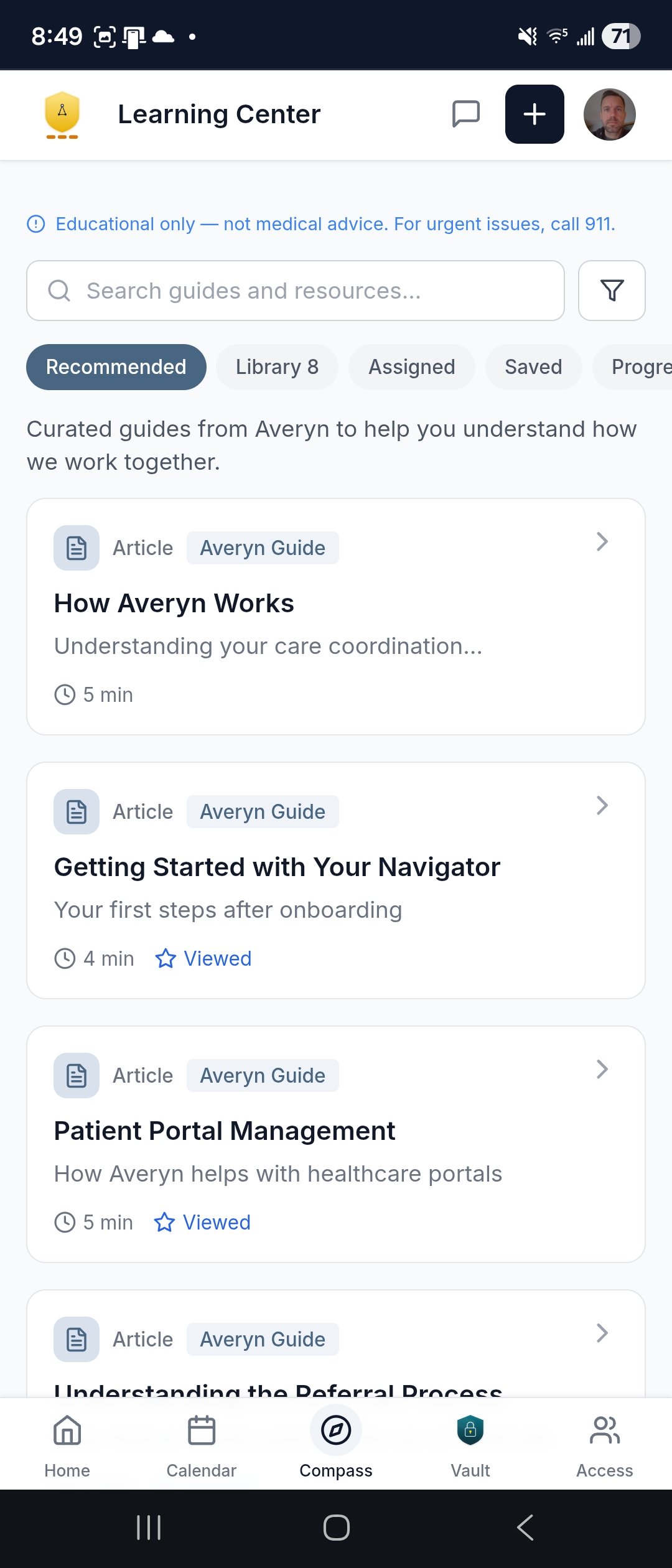
Relevant articles, checklists, and guides — curated by Averyn and assigned by your Navigator for what your family is dealing with right now. Not a dump of 10,000 generic health articles.
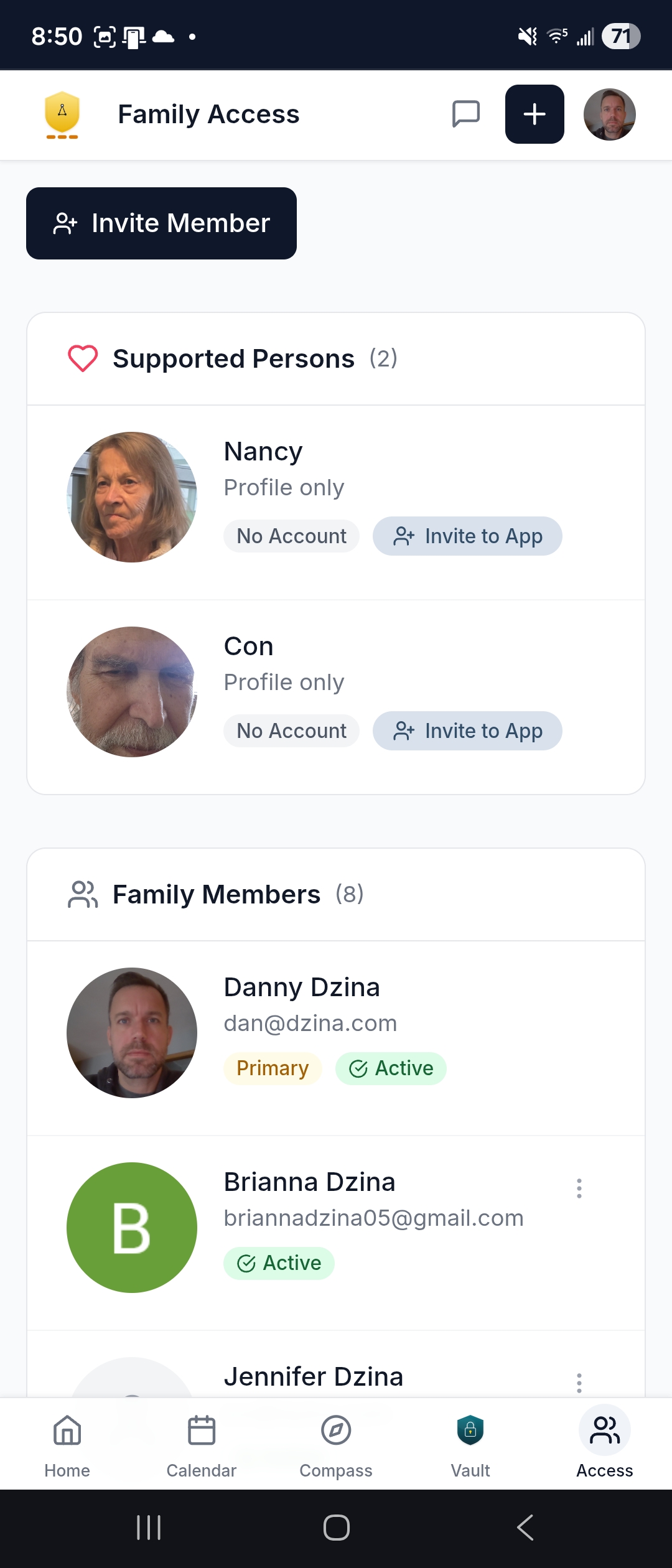
The Primary Contact controls who's invited. Each family member gets their own account with notification preferences. Invite, suspend, or restore access anytime — full control stays with you.
Why the follow-through stays consistent
When you hand real responsibilities to Averyn, here's what keeps the work on track — not because your Navigator is perfect, but because the system behind them is designed to surface what needs attention.
Every commitment is tracked
When your Navigator says they'll handle something, it becomes a tracked ticket with a priority, a status, and a deadline. There is no sticky note.
Open items stay visible
Overdue items, upcoming deadlines, and pending follow-ups surface automatically. If something needs attention, the system flags it — before you have to ask.
Continuity is built in
If your Navigator is out, a covering Navigator picks up with full context. Your family's history, open items, and priorities travel with the role, not the person.
Quality is supervised
Managers have visibility into workloads, response times, and open items. Built-in alerts catch overdue tasks and missed follow-ups. Your care doesn't depend on one person being perfect.
You can see it working. Your dashboard shows what your Navigator is handling. Your calendar reflects the coordination. Your Record Vault fills with organized documentation. Your care summaries tell the story. You don't have to take our word for it — the evidence is in the app, every day.
Ready for a calmer way to manage care?
Every Navigation Plan includes full access to the Averyn app. Start with a short conversation to confirm fit, then your Navigator and your app are ready within days.
Averyn provides non-clinical administrative coordination. We do not provide medical advice, clinical triage, emergency services, or 24/7 monitoring. If there is an urgent medical concern, call 911 or contact the Supported Person's clinician.